
Social Media Strategy for Small Businesses: What to Measure Beyond Likes and Followers
Oct 16, 2026 / 27 min read
October 9, 2026 / 29 min read / by Team VE
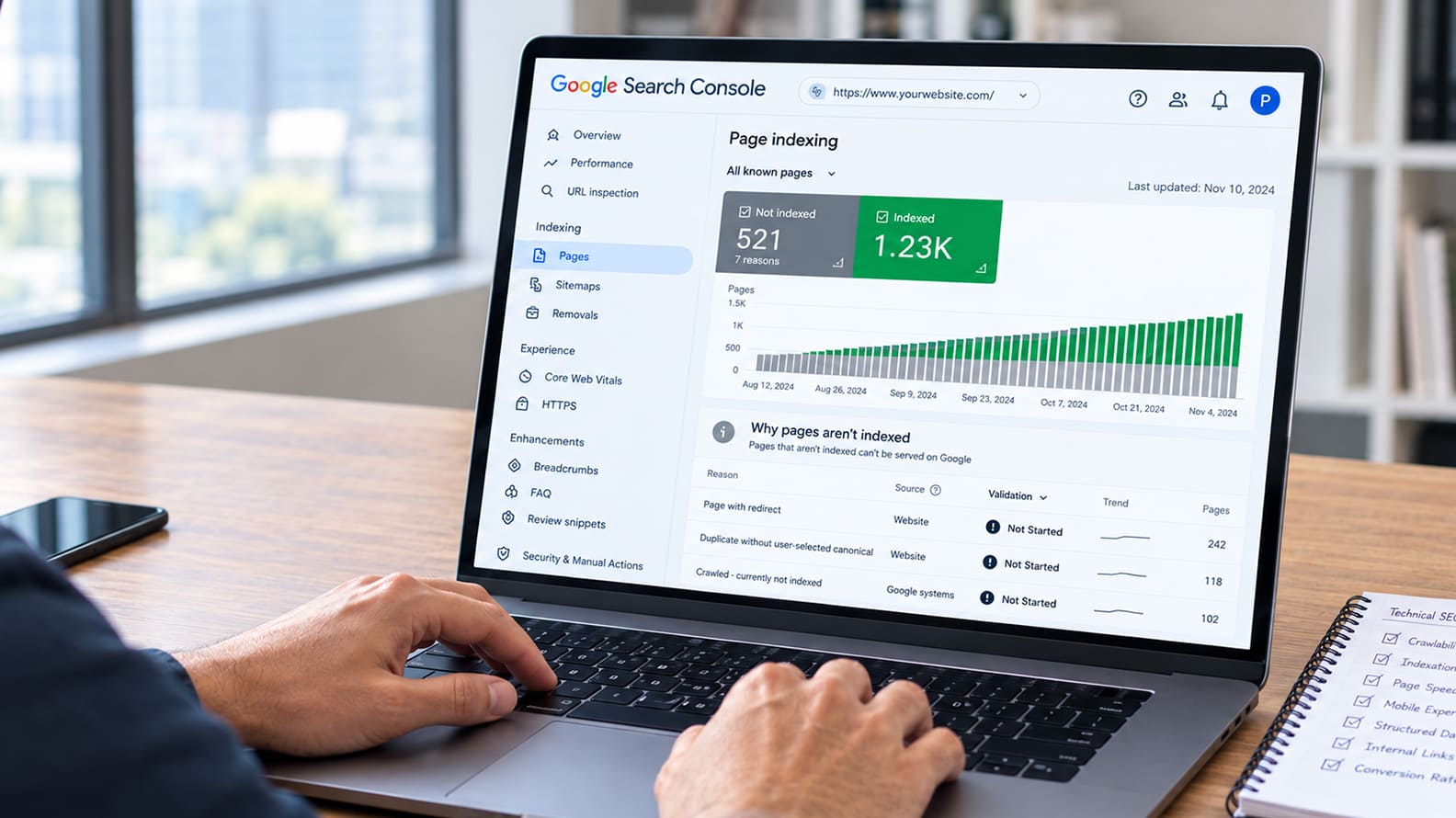
A practical guide to finding the crawl, indexing, speed, mobile, structured data and conversion problems that can quietly cost your business search visibility and qualified leads.
A technical SEO audit is useful only when it helps a business find the problems that are actually blocking visibility, leads or revenue. For a lead-generation website, the priority is not fixing every warning a tool can surface. It is making sure the important service, location, comparison and contact pages can be crawled, indexed, loaded properly on mobile, understood by search engines and turned into a working enquiry path.
The smartest audits start with commercial pages first, then work outward. A blocked service page, a wrong canonical, a slow mobile template, a broken form or an orphaned location page can matter far more than dozens of low-impact technical warnings. The tools help find the signals. The real value comes from deciding what deserves developer time first, fixing it, and then checking that the issue is actually resolved.
Technical SEO usually gets attention only after the business notices that something has changed. Organic enquiries begin to slow, a service page that once performed well starts losing visibility, a new location page refuses to gain traction, or a redesigned website looks better while generating fewer leads.
At that point, an audit often produces hundreds of warnings about canonicals, redirects, crawl depth, Core Web Vitals, structured data and duplicate URLs. The difficult part is not finding technical issues. It is working out which of those issues are actually interfering with the pages that matter commercially.
A UK people-tracing business with just 34 pages had solid content and no obvious need for a large content rebuild, but its pages were being held back by poor page experience. After technical work focused on Core Web Vitals across the site, DALT Media reports that organic clicks increased from 1,940 to 4,420 over the following three months, a 128% increase, while impressions rose by 96%.
No new pages were added and no link-building campaign was involved. The value of the example is not the percentage alone. It shows how a relatively small technical weakness can suppress pages that are otherwise doing many things right.
A different kind of problem appeared in a technical SEO recovery case involving a multi-location service business after a website launch. The audit found a blanket noindex tag that had carried over from staging, important service pages with no meaningful internal links, and rendering problems caused by blocked resources.
The site looked normal to people browsing it, but search engines were receiving a very different version of the business. That is the kind of technical failure that can quietly damage lead generation without giving the owner an obvious visual clue.
For a lead-generation website, this is the standard an audit should use from the beginning. A blocked service page, an incorrect canonical, an orphaned location page or a form that fails on mobile deserves immediate attention because each one can directly interrupt discovery or conversion.
Dozens of low-impact warnings on old archives may be worth cleaning up later, but they should not compete for the same developer time. Once that priority is clear, the audit can move to the first technical question that matters: can Google reliably find and access the pages the business depends on?
Once the commercially important pages are clear, the next question is surprisingly basic: can Google reach them cleanly and consistently? Most crawl problems do not announce themselves with a broken website.
The page may load perfectly in a browser while sitting too deep in the site, pointing through a chain of redirects, missing from the sitemap, or depending on links that Google does not discover easily. A redesign, CMS change or plugin update can introduce those problems without anyone on the marketing team noticing.
A real example from a multi-location service business technical SEO recovery shows how expensive that can become. After a new website launch, the company failed to regain its previous search visibility. The audit found three issues working together: a blanket noindex tag left over from staging, 67 service pages with no internal links, and a robots.txt rule that prevented Googlebot from accessing JavaScript resources needed to render parts of the React site.
The website was live for customers, but many of the pages the business depended on were effectively disconnected from search. The case study reports that indexed pages increased by 230% after the fixes and that rankings recovered over the following eight weeks.
The first practical check is therefore the path Google has to each important page. Google’s documentation on crawling and indexing explains that Googlebot discovers URLs through links and other sources, while sitemaps help signal which URLs the site considers important.
A crawler such as Screaming Frog SEO Spider makes those relationships easier to see because it can surface status codes, redirect chains, crawl depth, internal links, canonicals and other technical signals. Its free version currently crawls up to 500 URLs, which is enough to inspect many SMB websites without buying another enterprise platform.
What matters is how those findings are interpreted. An emergency plumbing page buried six clicks from the homepage deserves attention. So does a high-value location page receiving no internal links, a service URL redirecting through several old versions, or a sitemap still listing pages deleted during last year’s redesign.
By comparison, a handful of broken links inside an obsolete blog archive may have very little commercial impact. The crawl audit should keep bringing the conversation back to the same question: are the pages that should generate enquiries easy for both search engines and buyers to reach?
Getting crawled is only half the job. A website can be perfectly accessible to Google and still have the wrong pages competing for attention. That happens when old campaign pages remain indexable, city pages are too similar, canonicals point to the wrong URL, thin archive pages stay live, or a CMS creates multiple versions of essentially the same content.
For a lead-generation business, the risk is simple: Google may end up indexing pages that are weak, outdated or commercially irrelevant while the page that should be generating enquiries struggles to establish itself.
A useful example comes from Gainsty, an AI-powered Instagram growth platform built on Next.js. The site was gradually losing pages from Google and Bing even though there was no obvious Search Console error explaining why. The technical investigation found that robots.txt was preventing Google from properly rendering a JavaScript-generated canonical tag, while canonical URLs were also inconsistent across templates.
Only the homepage was reliably indexed on Google and none of the other URLs were appearing in Bing. The lesson is not that canonicals are inherently complicated. It is that several individually small signals can combine to tell search engines a very confused story about which version of a page they should keep.
Google’s canonicalisation guidance is important here because a canonical is a signal, not an order. Search engines look at several signals together, including redirects, rel=”canonical”, sitemap inclusion and internal links. If the sitemap says one URL is important, the internal links point to another and the canonical names a third, the site is effectively asking Google to resolve an argument that the business should have settled itself.
What to check in an indexation audit
For an SMB, the audit should therefore look beyond a simple count of “indexed” and “not indexed” pages. First compare what the business actually wants in search with what Google is storing. A tax advisory firm may have one strong corporate tax page alongside four old campaign pages covering nearly the same subject.
A home-services company may have twenty city pages that differ only by the location name. A SaaS business may have legacy product URLs still appearing after a restructure. In each case, the useful question is the same: does every page in the index have a clear reason to exist, and is the strongest version the one Google is being encouraged to show?
Page speed becomes commercially important when it gets in the way of intent. A visitor looking for emergency HVAC repair, legal advice, a nearby clinic or managed IT support is already trying to solve something. If the page takes too long to become usable, shifts around while loading or makes the main action hard to reach, the problem is bigger than a poor performance score. The business has added friction at exactly the moment someone was ready to enquire.
Google’s PageSpeed Insights separates lab data from real-world field data, which is useful because the two answer different questions. Lab data helps diagnose what may be slowing a page down, while field data reflects how real users experienced it across actual devices and network conditions.
Google’s current Core Web Vitals are Largest Contentful Paint (LCP) for loading performance, Interaction to Next Paint (INP) for responsiveness and Cumulative Layout Shift (CLS) for visual stability. The “good” thresholds are LCP within 2.5 seconds, INP within 200 milliseconds and CLS at 0.1 or below.
The commercial effect can be significant. Brazilian ecommerce platform Nuvemshop recently improved the way it prioritised images across thousands of merchant stores and reported a 68% improvement in LCP, alongside an 8.9% increase in conversion rate for mobile visitors arriving from Google organic search.
The category is ecommerce, but the underlying lesson travels well to lead-generation sites: better performance matters most on the pages where users are already trying to do something.
For an SMB, speed work should therefore be prioritised by template and buyer intent. If every service page uses the same oversized hero image, that is a much better engineering target than one slow blog post. If the contact page loads several chat, calendar and tracking scripts before the form becomes responsive, fix that journey first.
If a mobile page shifts because a map or review widget loads late, the problem is worth attention because it interferes with the action the page is supposed to generate. The goal is not to chase a perfect Lighthouse score across every URL. It is to make the pages closest to a lead feel fast, stable and easy to use.
For many lead-generation businesses, mobile is where the real customer journey happens. Someone searches between meetings, from a job site, from a car park, or while trying to solve an urgent problem.
Yet websites are still often approved on large desktop screens, where the layout looks clean and every element has space. The mobile version can tell a very different story, with collapsed content, awkward forms, oversized sticky headers, slow widgets and calls to action pushed too far down the page.
Google’s mobile-first indexing guidance makes the technical side clear. Google primarily uses the mobile version of a site for indexing and ranking, so important content, structured data, internal links and metadata should remain consistent between desktop and mobile.
That makes mobile parity more than a design concern. If the desktop page explains the service well but the mobile version hides key proof or removes useful links, the business is weakening the version Google sees and the version many buyers actually use.
The audit should therefore test the mobile experience like a customer, not just like a developer. Open the main service pages on a real phone, try the contact form, tap the phone number, open the booking widget, expand accordions, use the menu and see what happens when third-party elements load.
A managed IT provider may have a strong cybersecurity page on desktop, yet on mobile the comparison table overflows, the contact form has ten fields and the consultation button disappears beneath a sticky chat widget. None of those problems will necessarily show up as a dramatic site failure, but together they can quietly reduce enquiries.
Mobile checks that matter most
Chrome DevTools is useful for quick device emulation, but it should not replace real-phone testing. The point is to see the page under the same conditions as the buyer, because that is where mobile SEO and lead generation become the same problem.
JavaScript itself is no longer something businesses should treat as an SEO problem. Google explicitly updated its guidance in 2026 to remove older language suggesting that loading content with JavaScript inherently makes Search’s job harder.
Googlebot uses a current Chromium-based rendering system and can process JavaScript-powered pages, which means modern frameworks such as React, Next.js, Vue and Angular can work perfectly well in search. The real risk appears when important content, links, canonicals, status codes or structured data are missing from the rendered page Google actually receives. Google’s updated JavaScript SEO guidance is much clearer on that distinction.
Many small business websites now rely on JavaScript without thinking of themselves as “JavaScript sites”. A clinic may use an appointment widget, a SaaS company may load product comparisons dynamically, and a service business may use accordions, calculators or location selectors that only appear after scripts run.
If those elements are central to the page, the audit should compare what is visible in the browser with what Google sees after rendering. Google recommends using the URL Inspection tool and its rendered HTML to verify that important content is actually present, while Screaming Frog’s JavaScript rendering mode can help compare standard and rendered crawls across a larger site.
A few JavaScript problems are worth checking because they can affect commercially important pages without looking obviously broken to a user:
There is also an important old habit worth dropping. Google now describes dynamic rendering as a deprecated workaround and recommends approaches such as server-side rendering, static rendering or hydration when rendering problems need to be solved.
For an SMB, the useful takeaway is straightforward: there is no reason to fear JavaScript, and there is equally no reason to assume that because a page looks correct in Chrome, Google receives every important part of it correctly. The audit should verify the rendered result on the pages that generate leads, then fix only the differences that actually affect discovery, understanding or conversion.
Structured data is useful when it helps search engines understand information that is already clear on the page. Google’s current structured data documentation is explicit about that role: markup provides machine-readable information about page content and can make certain pages eligible for richer search features.
For lead-generation websites, the practical value is strongest when the markup reinforces obvious business facts such as who the company is, where it operates, what a page represents and how the site is organised.
That makes the choice of schema more important than the amount of schema. An accountancy firm may benefit from Organization structured data on the appropriate corporate page, while a local clinic or home-services business may use LocalBusiness structured data where the page genuinely represents a local business entity.
Breadcrumb markup can help describe page hierarchy. Article or video markup may make sense on relevant editorial or media pages. The mistake is adding every available type because an audit tool says more markup is possible.
The page still has to support what the markup claims. If a location page contains a business address in schema but barely explains the location to visitors, the markup is not fixing the real problem.
If an Organization object lists a service or identity relationship that the visible site never establishes clearly, the technical implementation may validate while the page remains weak. Google’s documentation repeatedly ties structured data eligibility to the content users can actually see, which is why schema should follow the page, not invent a better version of it.
For an SMB audit, the useful checks are straightforward: validate the markup with Google’s Rich Results Test, confirm that the structured data matches visible content, make sure the correct entity type is being used, and check that important pages are not carrying conflicting or duplicate markup. Once those basics are in place, the next technical question is how authority and context move through the site itself, which brings us to internal linking.
A website can be technically healthy and still underperform because its own structure gives search engines very little help understanding which pages are most important.
This happens when high-value service pages sit several clicks deep, location pages receive almost no contextual links, or useful blog content attracts search traffic but never passes that relevance into the pages that actually generate enquiries. Internal linking is one of the simplest ways to correct that because it affects both discovery and context at the same time.
A controlled test from SearchPilot is useful here because it isolated internal linking as the change. The test added links between nearby location pages and produced a 7% uplift in organic traffic compared with the control group.
That is a modest number compared with some dramatic SEO case studies, but it is more meaningful because the experiment was designed to separate the effect from seasonality, algorithm updates and other site changes. For a multi-location business, it shows that simply connecting relevant local pages more intelligently can help those pages perform better.
The same principle applies to service-led websites. An architecture firm may have strong articles on planning permission, home extensions and office fit-outs, but if those articles never link into the relevant service pages, the site is wasting part of the authority and context it has already earned.
A managed IT provider might have useful cybersecurity guides that should naturally support its security services page, while a law firm’s articles on visa eligibility should lead readers and crawlers toward the relevant immigration service pages.
Google’s guidance on crawlable links also makes clear that links work best when they use standard HTML links with meaningful anchor text, so search engines can understand both the destination and the relationship between pages.
A practical internal-link audit should therefore look for three things: important pages with too few incoming links, useful content that does not point toward a relevant commercial page, and pages that sit unnecessarily deep in the site architecture.
Tools such as Screaming Frog can surface orphan pages, crawl depth and internal link counts, while Ahrefs or Semrush can help show which pages already attract external authority and may be useful places to add contextual links. The goal is not to stuff every page with links. It is to make the site’s commercial priorities obvious enough that both users and search engines can move naturally from information to action.
A technical SEO audit is incomplete if it stops once the page is ranking and loading correctly. For a lead-generation business, the real journey starts after the click. The visitor still has to find the right CTA, open the form, submit it successfully, reach the confirmation state and pass cleanly into the CRM or booking system. If any part of that chain breaks, the website can look healthy in Search Console while revenue quietly leaks elsewhere.
A recent law-firm intake case study shows how quickly those problems can compound. The firm had a slow mobile site and a 14-question intake form that was suppressing conversion.
After rebuilding the experience and tying conversion tracking to qualified-lead status inside the CRM, the case study reports a fourfold increase in qualified leads. The useful lesson is that technical SEO, conversion tracking and lead capture cannot be treated as separate worlds when the same page is expected to generate business.
Tracking itself also needs testing. Google Analytics can automatically collect form_start and form_submit events through enhanced measurement, while Google Tag Manager’s form submission trigger can be configured to fire when a form is actually sent.
Google also recommends validating triggers in preview mode because scripts or custom form behaviour can interrupt the expected event flow. A form that visually submits but never records a conversion is bad enough. A form that fires the conversion twice can be just as damaging because it makes marketing performance look better than it really is.
The audit should therefore test the full path on both desktop and mobile. Submit every important form, click the phone number, open the booking tool, check the thank-you page, confirm that the lead reaches the CRM, and verify that the analytics event fires once with the right source attached.
If the site uses custom or JavaScript-heavy forms, confirm that the event layer is capturing a successful submission rather than just a button click. At that point, technical SEO becomes much more useful because the audit is no longer asking only whether Google can send traffic. It is asking whether the site can reliably turn that traffic into a measurable lead.
By this point, a technical audit can easily contain dozens or hundreds of findings, which is where many SMBs get stuck. Everything looks urgent because every tool uses red warnings, health scores and severity labels, but the business does not have unlimited developer time.
The useful way to prioritise is to look at two things together: how much the issue can affect search visibility or lead generation, and how many important pages it touches. A broken canonical on one old blog post is not the same problem as a broken canonical across every service page.
The most serious issues are usually the ones that stop important pages from being discovered, indexed, rendered or converted. A noindex tag on a core service template, a mobile form that fails on several high-intent pages, or an internal-linking problem that leaves an entire location section orphaned should move to the top of the queue.
Speed improvements, structured data cleanup and lower-level hygiene can still matter, but they should not consume the same attention while a more fundamental problem is blocking demand.
| Issue | Why it matters | Typical priority |
| Important pages blocked, noindexed or returning errors | Search engines may not be able to use the pages at all | Critical |
| Wrong canonicals or duplicate service/location pages | Google may index or rank the wrong URL | Critical |
| Broken forms, booking flows or call tracking | Traffic cannot become a measurable lead | Critical |
| Mobile problems on high-intent templates | Buyers may abandon before enquiring | Critical |
| Slow Core Web Vitals on service and location pages | Friction increases on commercially important visits | High |
| Orphaned pages or weak internal links | Important pages receive less discovery and context | High |
| Structured data errors on important templates | Search engines receive weaker or conflicting entity information | High |
| Missing metadata or minor crawl warnings on low-value pages | Usually limited commercial impact | Lower |
Tools should support that judgement, not replace it. Google Search Console can show which pages already have search demand and where indexing problems exist, Screaming Frog can expose site-wide patterns, and PageSpeed Insights can help identify performance problems.
The strongest audit report then adds something the tools cannot: which pages create enquiries, which issue affects them, what should be fixed first and how the team will verify that the fix actually worked.
The best technical SEO audits do not end with a spreadsheet full of warnings. They end with a much clearer understanding of where search visibility is being lost, where users are running into friction, and which fixes deserve attention first.
For a lead-generation business, that usually means protecting the pages closest to revenue, making sure Google can reach and index the right URLs, keeping mobile journeys usable, and removing technical problems that interrupt forms, calls or bookings.
Technical SEO should not sit in isolation from content, UX or analytics. A service page can be perfectly crawlable and still fail because it is slow on mobile. A location page can be indexed and still underperform because it has no internal links.
A contact form can work visually while conversion tracking records the wrong event. These problems may sit in different tools and different teams, but to the business they all create the same outcome: fewer qualified enquiries than the site should be producing.
For small and mid-sized businesses, the practical standard is simple. Fix what blocks important pages first. Then improve the templates and journeys that carry the most commercial intent. After that, work through lower-impact hygiene issues in a sensible order. Technical SEO becomes far more manageable once every issue is judged by how much it affects discovery, usability or lead generation.
A clean technical foundation will not replace strong service pages, useful content or a compelling offer. It gives those assets a fair chance to work. When the site is easy for search engines to understand and easy for buyers to use, the rest of the SEO strategy has something solid to build on.
A technical SEO audit checks whether the important parts of a website can be discovered, crawled, rendered, indexed and used properly by both search engines and visitors. For a lead-generation business, that means looking beyond generic SEO hygiene and focusing on the pages that are supposed to bring in enquiries, such as service pages, location pages, comparison pages, high-intent guides and contact paths.
The audit should also check whether those pages work properly on mobile, whether canonicals and indexation signals are correct, whether Core Web Vitals are acceptable, whether structured data matches the visible content, whether internal links support the right pages, and whether forms, calls or booking flows actually work. The end result should be a prioritised list of commercially important fixes, not a giant spreadsheet of warnings.
For most small and mid-sized businesses, a full technical audit once or twice a year is usually enough, provided lighter checks happen after major website changes. A redesign, CMS update, URL migration, new page template, new booking system or significant content restructure can all introduce technical problems that are worth checking immediately.
Businesses that depend heavily on organic leads should monitor Search Console more regularly because indexing changes, sitemap issues, Core Web Vitals problems and unexpected drops can appear between formal audits. The useful rhythm is to run a deeper audit periodically, recheck after implementation, then keep an eye on the pages and templates that matter most commercially.
It can when the problem being fixed is close to discovery, user experience or conversion. Correcting an accidental noindex tag on a service page, fixing an incorrect canonical on a location page, improving a slow mobile template or repairing a broken form can all affect the number of enquiries a website is able to generate.
Some technical fixes are more about site hygiene and may not produce a visible revenue change on their own. That is why prioritisation matters. A lead-generation business should put developer time into the issues that affect important pages, high-intent visitors or conversion paths before spending the same effort on low-value warnings.
A practical SMB audit usually starts with Google Search Console, because it shows how Google is seeing and indexing the site. Screaming Frog is useful for crawling the site and finding status codes, redirects, canonicals, internal-link problems and other site-wide patterns. PageSpeed Insights and Chrome DevTools help with performance and mobile checks, while GA4 and Google Tag Manager are useful for testing whether forms, calls and other conversion events are being recorded correctly.
Larger or more complex sites may also use Ahrefs, Semrush, server log analysis, Lumar or Botify. The important point is that the tools do different jobs. They can surface signals and problems, but they cannot decide which issue matters most to the business. That still requires someone to connect the finding back to visibility, lead generation and commercial priority.
The most serious problems are usually the ones that stop important pages from being found, indexed, loaded correctly or converted. Examples include accidental noindex tags, important sections blocked by robots.txt, incorrect canonicals, broken internal links, redirect chains on high-value pages, missing mobile content and forms that fail to submit or track correctly.
These issues deserve more urgency than minor metadata warnings or low-impact problems on old archive pages. A missing meta description may be worth fixing, but it should not compete with a service page that is invisible to Google or a booking form that stops qualified visitors from enquiring.
Yes. Core Web Vitals remain part of Google’s wider page-experience framework and are useful because they measure real user experience around loading, responsiveness and visual stability. The current metrics are Largest Contentful Paint, Interaction to Next Paint and Cumulative Layout Shift.
For an SMB, the more useful approach is to review these metrics by template and commercial importance. A slow service page or unstable contact page deserves more attention than a low-traffic blog post with a mediocre score. The goal should be to reduce friction where people are most likely to enquire, not to chase perfect performance scores across every page.
Yes, but they should worry about the right things. JavaScript itself is not a problem. Google can render modern JavaScript-based websites, including many sites built with frameworks such as React, Next.js, Vue or Angular. The risk appears when important content, links, canonicals, structured data or status signals do not appear correctly in the rendered version Google sees.
A technical audit should therefore compare what users see with what Google receives after rendering. If a page looks fine in the browser but important links only appear after an interaction, or the canonical changes after JavaScript runs, the site may be sending inconsistent signals. The goal is to verify the important pages, not to avoid JavaScript altogether.
Location pages should be checked for indexability, canonicalisation, internal links, uniqueness, local relevance and conversion quality. A page that simply swaps one city name for another may be technically valid but still too weak to deserve its own place in search.
A stronger location page should explain the service area clearly, show local proof where possible, link to relevant services, include accurate business information and make it easy for the visitor to take the next step. The technical audit determines whether the page can be found and indexed. The content review determines whether the page is actually useful enough to exist.
Structured data can help machines understand entities, page types and relationships more clearly, but it is only one part of the picture. It works best when it matches visible content and reinforces information that is already clear on the page.
AI search visibility also depends on strong written content, consistent business information, useful internal linking, trustworthy proof and credible third-party mentions. Structured data can make a good page easier to interpret, but it cannot turn a thin or confusing page into a strong source.
A useful report should explain which pages are affected, what the issue is, why it matters, how urgent it is and who should fix it. It should distinguish between critical problems, high-impact improvements and lower-priority cleanup so the development team is not treating every crawler warning as equally important.
The report should also include evidence, recommended fixes and a retest plan. Once the changes are implemented, the site should be crawled and tested again to confirm that the problem is genuinely resolved. A ticket marked “done” is not the same as a fix that is working.
Oct 16, 2026 / 27 min read

Oct 15, 2026 / 19 min read

Oct 14, 2026 / 27 min read