Social Media Strategy for Small Businesses: What to Measure Beyond Likes and Followers
Oct 16, 2026 / 27 min read
October 14, 2026 / 27 min read / by Team VE

Email is still one of the most useful channels an SMB can own. The real opportunity is learning when to send, what deserves someone’s attention and how to stay useful enough that people keep opening.
Email marketing still works because it gives businesses a direct way to stay in touch with people who have already shown some level of interest. You can educate a prospect over a long buying cycle, bring an existing customer back, follow up after a purchase, distribute useful content and create demand without paying every time you want to reach the same audience.
The problem begins when a business treats access to an inbox as permission to send anything it wants. Strong email programs earn continued attention through useful content, sensible timing, clean segmentation and clear choices for subscribers. If people regularly ignore, delete or report your emails, sending more will usually make the problem worse.
One of the more interesting email marketing examples comes from Grammarly’s Weekly Insights. The email draws on a user’s own writing activity, showing things such as how much they wrote, how active they were and where certain language patterns appeared.
There is a natural curiosity in that because the content is about the person receiving it. The email feels relevant before the copy has to work very hard, which is a big part of why it earns attention.
Duolingo uses email reminders in a similarly personal way, especially around streaks and learning activities. Once someone has spent weeks or months building a streak, the reminder carries context because there is already a sense of progress behind it. The email becomes part of something the learner is already doing, which makes it feel familiar and useful instead of detached from the rest of the experience.
The same principle matters for small and mid-sized businesses, even when the available data is far simpler. The key is to understand what the customer already cares about and finding a natural reason to return to that interest.
Sometimes that comes from previous activity, sometimes from timing, and sometimes from a recurring need that the business understands well. The email works because it feels connected to something already happening in the recipient’s world.
Over time, it shapes how people respond to the brand in the inbox. When the messages continue to feel useful, timely or connected to an existing interest, opening them starts to feel worthwhile. When that relevance fades, attention tends to fade with it. Email is a very personal channel in that sense because it sits alongside work conversations, receipts, travel updates, bills and messages from people the recipient actually knows.
For growing businesses, that makes relevance a better starting point than frequency, templates or subject-line formulas. A strong email usually has a clear reason to arrive and a clear reason for the recipient to care. Once these two things are in place, the rest of the campaign becomes much easier to shape naturally around them.
A strong email program usually starts long before the first campaign goes out. It starts with how people got onto the list in the first place. Someone who signed up for a useful newsletter, downloaded something they genuinely wanted or asked to hear about a particular topic enters the relationship with a different level of interest from someone whose address was pulled from an old database or added after a networking event.
Mailchimp defines permission as express, verifiable consent to receive marketing communication, which sounds formal but matters in a very practical way. People are much more receptive when they remember asking to hear from you. That memory may come from a newsletter signup, a product waitlist, an event registration or a clear opt-in during another interaction. The exact route matters less than the fact that the person knew what they were agreeing to.
Small businesses often accumulate email addresses from all over the place as they grow. Old prospects sit beside customers, event attendees, downloaded lead lists, former enquiries and people who subscribed years ago.
The list gets bigger, yet the audience becomes harder to read because everyone arrived for a different reason. A cleaner list with clearer intent often gives the marketing team a much better sense of who is actually interested and what they are likely to care about.
Mailbox providers have also made unwanted email harder to ignore from a technical perspective. Gmail’s current sender guidelines place considerable emphasis on keeping spam complaints low and making unsubscribing easy, while Yahoo’s sender requirements follow the same direction.
For larger senders, authentication and one-click unsubscribe are now part of the basic infrastructure. Even a much smaller company benefits from the same discipline because inbox placement depends increasingly on how recipients respond to the mail they receive.
A healthy list therefore tends to grow more slowly than teams expect, especially at the beginning. That is usually fine. A few thousand people who recognize the sender and have a real reason to hear from the business can be far more valuable than a much larger database where most recipients barely remember how they got there. The quality of the relationship starts forming at signup, and every email after that either strengthens it or makes the next open a little less likely.
A database can make very different people look deceptively similar. A first-time buyer, a long-standing customer and someone who has not engaged for months may all sit beside each other in the same system, even though the next useful email for each of them is likely to be very different. Once a business starts growing, treating the whole list as one audience usually becomes harder to justify.
Monarch Money found this in its trial onboarding. Its original sequence sent the same four emails to users on a fixed schedule, regardless of what they had actually done inside the product. The company later shifted those messages around user behavior, so the emails could reflect where someone was in the trial experience. According to Customer.io, engagement increased by 4.4% and cancellations fell by 3.36%.
For small and mid-sized businesses, segmentation does not need to become a huge data exercise. A few signals are often enough to make the next message feel more relevant:
| Signal you already have | What it can help you decide |
| First purchase or first enquiry | What someone may need immediately after taking that first step |
| Product or service viewed | Which topic, offer or follow-up is most likely to matter |
| Purchase history | What complements, replaces or follows what they already bought |
| Location | Whether local events, availability, timing or offers are relevant |
| Recent clicks or activity | Which subjects are still attracting attention |
| Long inactivity | Whether the person still wants to hear from you at all |
Tools such as Mailchimp, HubSpot and Klaviyo already make this kind of grouping relatively straightforward. The harder part is deciding which differences actually matter. A list can be sliced into dozens of segments and still produce dull email if the categories do not change what the recipient receives.
The most useful segmentation tends to be fairly practical. It helps a business send fewer irrelevant messages and gives each email a better chance of arriving with some context behind it. As the customer base grows, that becomes less about sophisticated personalization and more about maintaining the basic sense that the business still understands who it is talking to.
A subscriber who hears from a brand only when there is something to sell quickly learns what every email is going to contain. Some businesses have found much more room inside the channel.
Headspace, for example, has used email for reflection prompts and engagement messages alongside its product communication, while Airbnb has used newsletters to surface unusual destinations and experiences that people might simply enjoy browsing. Both have a commercial business behind them, yet the inbox relationship has space for curiosity, inspiration and continued engagement.
Smaller businesses can take the same idea without turning themselves into publishers. A useful email might answer a question customers repeatedly ask, point out something changing in their industry, help them get more value from something they already bought or surface an opportunity they may genuinely want to know about.
A service firm that understands its clients well will usually have plenty of material already sitting inside sales calls, support conversations, project discussions and recurring customer questions.
A practical mix might look something like this:
| Type of email | Where it earns its place |
| Useful guidance | Solves a recurring customer problem or answers a question people regularly ask |
| Product or service education | Helps people understand or use something they already showed interest in |
| News or change | Explains something timely that affects the customer |
| Customer story | Shows how another customer handled a recognizable problem |
| Invitation | Gives the recipient a relevant reason to attend, respond or participate |
| Offer | Presents a genuinely useful commercial opportunity at an appropriate time |
Commercial emails still belong in the mix. Customers sometimes want to know about a new service, a product launch, an available appointment or a good offer. Problems tend to appear when every message asks for something and very few give the reader a reason to stay interested between purchases. Over time, the inbox starts to feel repetitive even when individual campaigns are well written.
A good email calendar therefore has some variation in what it gives people. For a growing company, that may mean fewer sends overall, with each one carrying a clearer purpose. The result usually feels more natural because the business is communicating when it has something worth saying, not simply because another campaign slot has arrived.
There is no universal answer to how often a business should email. A daily newsletter can work when readers expect fresh information every morning, while a professional services firm may have far less reason to appear in someone’s inbox that often. Frequency only makes sense in the context of what the audience signed up for and how much genuinely useful material the business has to send.
Problems usually start when cadence becomes a target in itself. A team decides it needs a weekly newsletter, then spends every Thursday trying to invent something worthy of Friday’s send. The schedule survives, but the quality gradually slips. Readers notice that faster than marketers sometimes expect, especially when the subject matter begins to feel repetitive or the emails start stretching weak ideas into full campaigns.
For small and mid-sized businesses, a better rhythm often comes from the nature of the relationship. A retailer may have enough product movement to support more regular contact. A B2B consultancy may be better served by fewer emails with stronger points of view. A local service business might communicate more heavily around seasonal demand and stay relatively quiet at other times. The cadence should feel believable for the category.
It also helps to watch what the audience is telling you over time:
A healthy email program usually settles into a rhythm that feels sustainable on both sides. The business can keep producing messages worth sending, and the audience does not feel overwhelmed by them. That balance matters more than hitting a fashionable benchmark for how many campaigns should go out each week.
Subject lines get too much credit when an email performs well and too much blame when it does not. They matter, of course, but mostly because they set an expectation. Someone scanning an inbox is trying to decide whether the message is relevant enough to open now, later or never. A clear subject line that matches the content usually does more for trust than a clever one that creates curiosity and then delivers something else.
Some of the best commercial emails are surprisingly plain. Morning Brew built a large daily-news habit around subject lines that often point directly to the stories or themes inside the newsletter, while brands such as Grammarly can rely on personal context because the recipient already understands what the email is likely to contain. Both approaches work because the subject line feels connected to the reason the reader subscribed in the first place.
For a small business, the safest approach is usually to make the value obvious without trying to sound like an ad. A useful subject line might tell the reader what changed, what is available, what they need to know or why the timing matters.
If the email contains a real deadline, say so. If it answers a question customers keep asking, name the question. If the offer is the whole point, make the offer clear enough that people can decide whether it is relevant before they open.
| Weak habit | Better direction |
| “You won’t believe this…” | Say what the email is actually about |
| “URGENT!!!” with no real urgency | Use urgency only when there is a genuine deadline or consequence |
| “Big news” | Name the news if it matters |
| “Just checking in” | Give the reader a specific reason to reopen the conversation |
| “Don’t miss out” | Explain what they would actually miss |
Preview text deserves the same treatment because it often appears right beside the subject line on mobile and desktop inboxes. It can finish the thought, add useful context or make the value clearer without repeating the same words. When both elements work together, the email feels easier to understand before it is opened, which is often enough to improve the quality of the attention it gets.
For growing businesses, clarity compounds over time. People begin to recognize the kinds of emails worth opening, and the inbox relationship becomes more predictable in a good way. A subject line does not need to perform a trick every time. It needs to help the right person quickly understand why the message might matter.
Once someone opens an email, the job gets simpler. They should be able to understand what the message is about, why it matters and what they can do next without working through a wall of copy. Good email design helps, but clarity usually matters more than polish. A beautifully designed campaign can still feel heavy if the reader has to search for the point.
Canva does this well in many of its product emails. The messages tend to focus on one idea at a time, with a clear visual hierarchy and an obvious next step. Notion often follows a similar pattern when introducing features or product updates, giving enough context to understand the change and then making it easy to explore further. The design supports the message instead of becoming the message.
Smaller businesses can take the same approach without elaborate templates. Most emails benefit from a clear opening, a few well-developed paragraphs and one primary action. If several links are included, they should still feel connected to the same purpose. Once an email begins asking people to read an article, book a call, download a guide, follow three social channels and browse five services, the recipient has to decide what the sender actually wants.
A simple structure usually works well:
| Part of the email | What it should do |
| Opening | Give the reader enough context to understand why the email arrived |
| Main message | Deliver the useful information, story, update or offer |
| Supporting detail | Add only what helps the reader make sense of the message |
| Primary action | Make the most useful next step clear |
| Sign-off | End naturally and make it obvious who the email came from |
Mobile deserves particular attention because a large share of email is read on phones, often while people are moving between other tasks. Long blocks of text, tiny buttons and image-heavy layouts can make an otherwise useful message harder to deal with.
Mailchimp’s email design guidance recommends keeping layouts readable across devices and making calls to action easy to identify, which is less about following a design rulebook and more about respecting how people actually use their inbox.
For a growing business, good email design should make the message feel lighter to consume. The reader should be able to move through it naturally, understand the point and take the next step without stopping to figure out what the email is trying to do.
An unsubscribe link used to be treated like something brands wanted to hide in tiny text at the bottom of an email. That mindset makes much less sense now. Someone who no longer wants the messages is already telling you something useful, and giving them a clean way out is better for the list than keeping them around until they start ignoring everything or marking the mail as spam.
Gmail has pushed this further through its current email sender guidelines. Marketing and subscribed messages from bulk senders need one-click unsubscribe, along with a clearly visible unsubscribe option in the email itself. Google also advises senders to keep user-reported spam rates below 0.1% and to avoid reaching 0.3%. Yahoo follows a similar approach in its sender requirements, including easy unsubscribe for promotional mail and a spam complaint rate below 0.3%.
For small and mid-sized businesses, the numbers matter less than the behavior behind them. A healthy list should contain people who still want some form of relationship with the business. When someone is no longer interested, letting them leave quickly protects the quality of the audience and reduces the chance that future emails start carrying the reputation of unwanted mail.
A preference center can also be useful when the business sends different kinds of communication. Some people may still want product updates while skipping weekly content. Others may care about events but not offers. Giving subscribers a little control can preserve useful relationships that a simple all-or-nothing choice would otherwise end.
The technical side matters as well, especially once volumes grow. Authentication through SPF, DKIM and DMARC is now part of the baseline for serious sending, and platforms such as Google Postmaster Tools can help teams monitor reputation, spam complaints and delivery issues. For a growing company, the goal is fairly simple: make it easy for wanted email to reach people who still want it, and easy for everyone else to stop receiving it.
Some emails are useful because they arrive at exactly the right moment. A welcome email after someone signs up, a reminder when a trial is about to end, or a replenishment note after enough time has passed since the last purchase can feel helpful because the timing makes sense. The recipient does not have to wonder why the message has appeared.
Platforms such as Klaviyo and HubSpot make these kinds of triggered messages easy to build, and they can be valuable for growing businesses because they remove a lot of repetitive manual sending. The important distinction is that automation works best when it responds to something meaningful the customer has already done, such as signing up, buying, abandoning a cart, booking, renewing or becoming inactive for a meaningful period.
A few moments are especially well suited to automation:
| Customer moment | Email that can make sense |
| New signup | Welcome, orientation or the promised resource |
| Trial started | Help with the first useful action or feature |
| Cart or application abandoned | A reminder while the intent is still fresh |
| Purchase completed | Confirmation, guidance or relevant follow-up |
| Renewal approaching | Clear notice about timing, price or next steps |
| Long inactivity | A useful reason to return, if there genuinely is one |
The quality of these emails still depends on what happens after the trigger fires. A cart reminder sent an hour later can be useful. Five reminders over three days can become irritating very quickly. A trial email can help someone discover a feature they missed, while a generic sequence that keeps repeating the same message simply creates more inbox volume.
For small and mid-sized businesses, automation is most effective when it handles predictable moments and leaves room for human judgment everywhere else. The technology can take care of timing, but the message still needs to feel appropriate for the person receiving it.
Open rates are useful, but they are easy to overvalue because they sit near the top of the reporting screen. They tell you whether the subject line and sender name earned enough attention to get the email opened. They say much less about whether the message actually helped the business. Once an email program is established, the more useful question is what people did next.
A retailer may care about purchases and repeat orders. A B2B service firm may care more about replies, booked calls or opportunities created. A SaaS company may watch feature adoption, trial progression or upgrades. The metric should follow the purpose of the email, because a campaign designed to educate existing customers should not be judged in the same way as a promotional send built to generate immediate revenue.
A simple measurement view can keep this grounded:
| What you want the email to do | Metrics worth watching |
| Drive traffic | Click-through rate and quality of sessions |
| Generate demand | Replies, enquiries, booked calls or form submissions |
| Sell | Conversion rate, revenue and average order value |
| Support adoption | Feature usage, activation or completion of the next key step |
| Retain customers | Repeat purchase, renewal or reduced churn |
| Protect list quality | Unsubscribes, spam complaints and inactive subscribers |
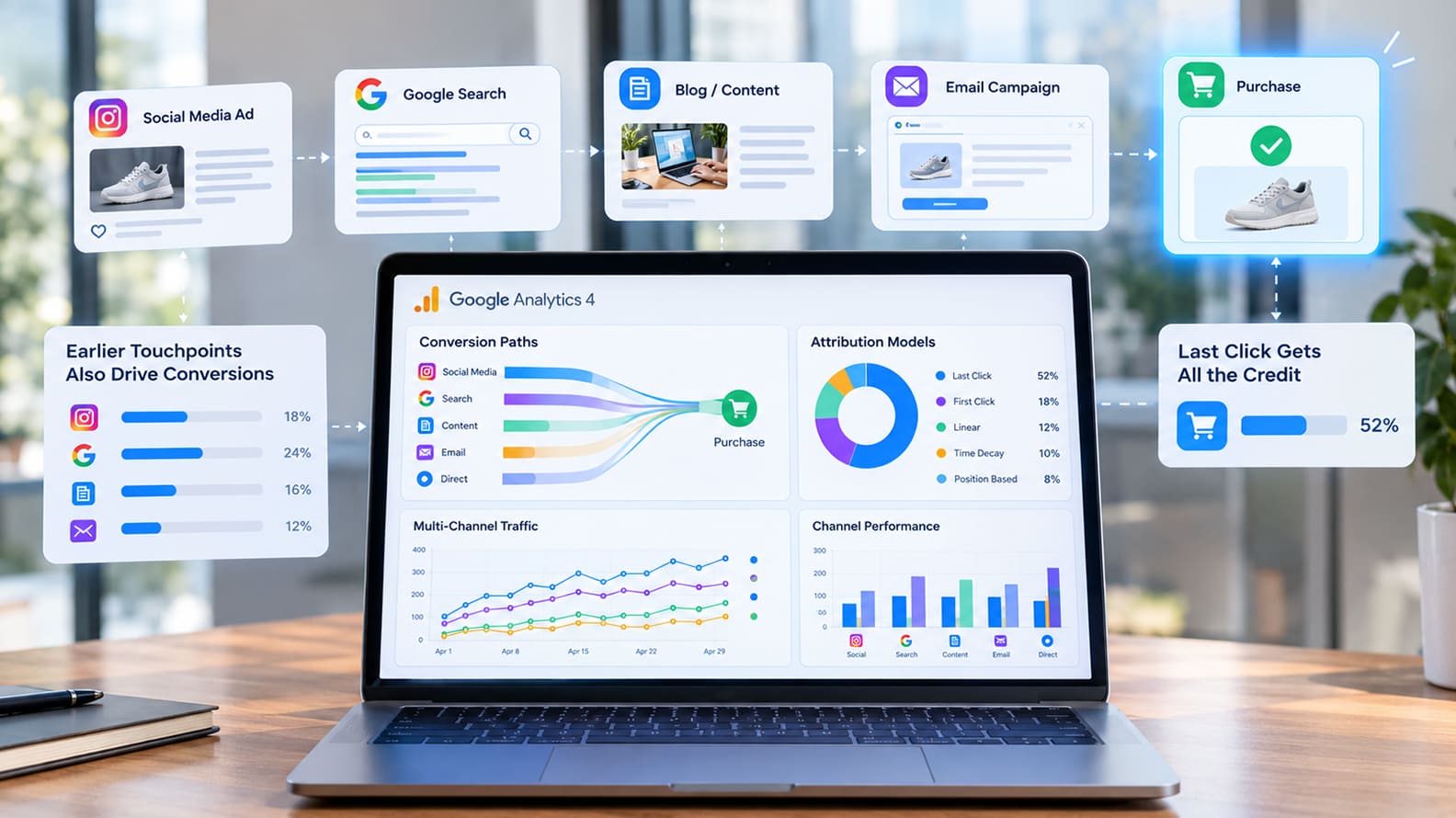
Attribution also needs some restraint. Email rarely works in isolation, especially for B2B and higher-consideration purchases. Someone might read a newsletter, visit the website a week later, speak to sales and convert after another touchpoint. Platforms such as Google Analytics and CRM systems such as HubSpot can help connect those interactions, but the reporting should still reflect the reality that influence is often shared across channels.
For small and mid-sized businesses, the most useful email reports are usually the ones that help decide what to change next. A campaign that gets plenty of opens and very few meaningful actions may have a stronger subject line than offer. A lower-open email that produces qualified replies may be doing exactly what the business needs. Looking beyond the top-line metrics makes email much easier to improve over time.
Email has lasted because it continues to do something few other marketing channels do particularly well. It gives a business a direct line to people who have already shown some level of interest, and it allows that relationship to continue over weeks, months or even years without requiring the business to buy the audience back every time it wants to communicate.
The quality of that relationship depends on what keeps arriving in the inbox. People usually stay receptive when the emails feel relevant to what they care about, reflect where they are in the customer journey and arrive with enough value to justify the interruption. Once the messages become repetitive, overly promotional or disconnected from the recipient, attention usually fades long before the unsubscribe happens.
Small and mid-sized businesses often have an advantage here because they are closer to their customers than larger brands. They hear the questions people ask, understand the problems that keep coming up and often know what customers are trying to achieve next. Those conversations can become far better email material than another generic campaign built simply because the calendar says something needs to go out.
The strongest email programs rarely feel complicated from the outside. They feel considered. The right people receive messages that make sense for them, the timing feels reasonable, the content earns attention and leaving the list is easy when the relationship has run its course. That is usually enough to keep email useful long after newer channels have come and gone.
Yes. Email still works because it gives businesses a direct way to stay in touch with people who have already shown some level of interest. For a retailer, that may mean repeat purchases. For a B2B firm, it may mean staying visible through a long buying cycle. For a service business, it may be the easiest way to keep customers informed without depending on social reach every time.
Its effectiveness depends heavily on the quality of the relationship behind the list. A well-built audience that recognizes the sender and receives useful, relevant messages can remain valuable for years. A large database filled with weak consent, old contacts or people who barely remember the business will usually perform badly no matter how polished the campaigns look.
There is no ideal frequency that applies across every industry. A company with frequent product activity, fresh inventory or time-sensitive content may have a reason to email several times a week, while a consultancy, law firm or local service business may communicate much less often and still get strong results. The cadence should fit the category and the type of relationship customers have with the business.
The audience will usually tell you when the rhythm stops working. If engagement falls across several sends, unsubscribes start climbing or complaints increase, the issue may be frequency, content quality or both. A smaller number of useful emails will usually build a stronger long-term relationship than a rigid schedule that forces the team to send even when there is little worth saying.
There is no magic number. A list of 2,000 engaged subscribers can be far more useful than a database of 50,000 people who rarely open anything. What matters is whether the audience contains customers, prospects and subscribers who actually have a reason to hear from the business.
List quality also makes reporting much more meaningful. When the audience is relevant, clicks, replies and conversions tell you something useful about demand. When the list is bloated with old or poorly sourced contacts, the numbers become harder to trust because the business is measuring itself against people who were unlikely to respond in the first place.
Buying email lists is usually a poor idea because the relationship begins with almost no context. The people on the list may not know the company, may never have asked to hear from it and may have little connection to the offer. That leads to weak engagement and can create deliverability problems if recipients ignore or report the messages.
A slower list built through genuine signups, enquiries, customers, events and useful content tends to perform better because the business starts with some level of recognition. Growth may look less impressive on a spreadsheet, but the audience is more likely to engage, convert and remain on the list over time.
A healthy email program usually includes a mix of useful guidance, product or service education, relevant updates, customer stories, event invitations, reminders and occasional offers. The exact balance depends on what customers need and how often the business has something genuinely useful to share.
Commercial messages still have an important place. Customers often want to hear about a new service, a useful offer or an available appointment. The problem appears when nearly every email asks for a purchase. Giving people information they can use between buying moments makes the inbox relationship feel more valuable and gives future promotional emails a better chance of being opened.
Start with information that changes what someone should receive. Customer status, purchase history, product interest, location, recent activity and stage in the buying journey are usually enough to create useful groups. Segmentation works best when it reflects a real difference in what people need from the business.
There is little value in creating dozens of segments for the sake of sophistication. If every group receives nearly the same message, the extra complexity does not help much. A smaller number of clearly defined audiences is easier to manage and usually gives the marketing team more room to write emails that feel relevant.
The right metrics depend on what the email was supposed to achieve. A retailer may care about purchases and repeat orders. A B2B company may care about replies, booked meetings and qualified opportunities. A SaaS business may look at feature usage, upgrades or trial progression. The metric should follow the business outcome the email was meant to influence.
Open rates are still useful, but they should be treated as context rather than the final verdict. A campaign with modest opens and several qualified enquiries may be far more valuable than one with a high open rate and almost no meaningful action. Looking at what happens after the open gives a much clearer picture of whether the email did its job.
Good deliverability begins with a clean list, proper authentication and a history of sending email people actually want. SPF, DKIM and DMARC should be configured correctly, unsubscribe requests should be handled quickly and old inactive contacts should not remain on every campaign forever.
Recipient behavior also matters because mailbox providers pay attention to how people respond to the mail they receive. If messages are repeatedly ignored, deleted or marked as spam, sender reputation can decline over time. Maintaining a healthy list and sending relevant content gives the business a much better chance of reaching the inbox consistently.
Automation is most useful when the timing is predictable and connected to something the customer has already done. Welcome emails, trial reminders, cart follow-ups, purchase confirmations, renewal notices and re-engagement messages are all good candidates because the trigger gives the email a clear reason to arrive.
The risk appears when too many automated sequences overlap or continue for too long. A customer can easily end up receiving several messages from different workflows without the business realizing how crowded the experience has become. Automation should make communication more timely, not simply increase the number of emails being sent.
There is no universal cut-off because buying cycles vary widely. A consumer brand may decide that six months without engagement is significant, while a B2B company may have subscribers who remain commercially relevant even if they open very little during a long sales cycle. The right threshold depends on how often customers typically buy and how frequently the business normally communicates.
A re-engagement campaign can help before removing or suppressing inactive contacts. If someone continues to show no interest after several reasonable attempts, keeping them on every campaign usually adds little value. A cleaner list improves reporting, protects deliverability and makes the active audience easier to understand.
Oct 16, 2026 / 27 min read
Oct 15, 2026 / 19 min read

Oct 13, 2026 / 33 min read