
How the Cybersecurity Talent Shortage Is Weakening Business Resilience
Sep 19, 2026 / 22 min read
September 7, 2026 / 23 min read / by Team VE
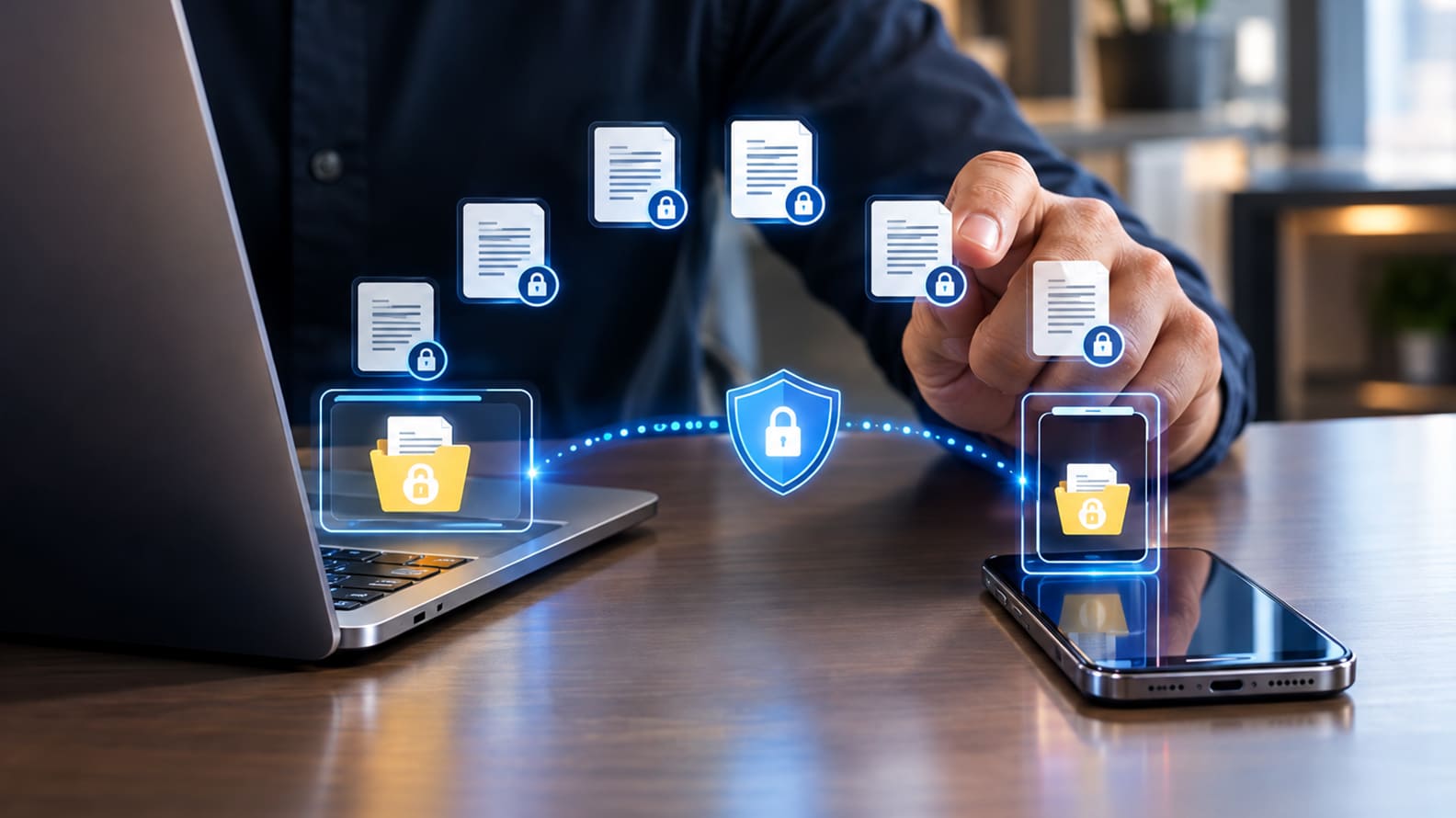
A practical, business-first guide to securing laptops, phones, servers, identities, and remote work devices without slowing the company down.
Endpoint security is the discipline of protecting the devices people actually use to access company systems: laptops, desktops, mobiles, tablets, virtual desktops, and sometimes servers or workloads. It matters more in remote and hybrid teams because the endpoint has become the working edge of the business.
The office network no longer sees everything, the helpdesk cannot physically touch every machine, employees move between home Wi-Fi, airports, client sites, shared spaces, and mobile hotspots, and attackers increasingly target identity, session tokens, browsers, SaaS access, and unmanaged devices rather than only trying to drop traditional malware.
A modern endpoint program combines asset inventory, secure configuration, patching, disk encryption, device management, endpoint detection and response, least-privilege access, browser and email protections, remote wipe, backup discipline, and clear response playbooks.
The reason remote teams make this harder is simple: security teams have less physical control, less network visibility, more device diversity, more personal-device pressure, and more dependency on SaaS and cloud identity. Good endpoint security accepts that reality and builds controls around how work actually happens.
The old idea of endpoint security was built around protecting a device. In a hybrid business, that definition is too small. A laptop or phone now carries far more than files. It carries active identity, browser sessions, SaaS access, collaboration history, customer data, credentials, code, and the ability to approve or trigger business actions. Once that device is compromised, the attacker may not need to “break into the network” in the traditional sense because much of the company’s operating environment is already accessible through the user’s trusted sessions.
That is why endpoint compromise has become much closer to business compromise. A finance user working remotely may have access to payment systems and supplier records. A developer workstation may connect directly to source repositories, cloud consoles, and production tooling. A sales device may hold CRM data, email, and customer documents. The technical entry point is the machine, but the exposure sits in the identity and permissions attached to it.
Modern endpoint security therefore has to be built around control of the working session, not simply malware detection. Device management, endpoint detection and response, patching, disk encryption, browser security, phishing-resistant authentication, session controls, and the ability to isolate a compromised device all matter because they limit what can happen after the endpoint is abused.
The 2023 MGM Resorts cyber incident is a useful reminder of how quickly identity and access compromise can move into business disruption. MGM disclosed that the incident forced systems offline and caused an estimated $100 million impact to adjusted property EBITDAR for the quarter.
NIST’s guidance on telework, remote access and BYOD reflects the same shift by treating remote work as a combination of device, identity, access, network, and policy controls rather than as an exception to the office environment.
For growing companies, the biggest endpoint risks often appear through unmanaged contractor devices, old machines that fall outside monitoring, personal devices with broad access, or temporary exceptions that quietly become permanent. Endpoint security has become business security because so much of the business now travels with the user.
A decade ago, many business leaders heard “endpoint” and pictured a desktop or laptop. Such a picture is too blurred now. An endpoint is any device or workload that reaches company systems, stores company data, runs business software, or acts on behalf of a user.
In a remote team, that can include a corporate laptop, a personal phone, a tablet used by a field employee, a virtual desktop, a cloud-hosted developer box, a server, a point-of-sale device, or a contractor machine connecting through a browser. The definition matters because attackers do not care whether IT officially considers something in scope. They care whether it can open email, download files, authenticate into a SaaS app, or run code.
Endpoint security therefore has to cover both the device itself and the way the device is used. The operating system may be patched, but the browser may be full of risky extensions. The laptop may have endpoint detection installed, but the user may still access accounting software through a personal phone.
The company may encrypt devices, but allow local admin rights that let malware disable defenses. The helpdesk may image every company laptop, but HR may onboard contractors faster than IT can enroll their devices. Each of these gaps looks small in isolation. Together, they create the actual attack surface.
| Endpoint type | Why it matters | Common remote-team risk |
| Company laptops/desktops | Primary work device with access to email, SaaS, files, VPN, and collaboration tools. | Patching delays, local admin rights, disabled security agents, stolen devices, weak Wi-Fi habits. |
| Personal phones and tablets | Used for MFA prompts, email, chat, file viewing, approvals, and quick customer responses. | No device management, old OS versions, personal apps, shared family use, lost-device exposure. |
| BYOD laptops | Common with contractors, freelancers, consultants, and early-stage teams. | No asset visibility, unknown malware state, no remote wipe, unclear legal authority to enforce controls. |
| Virtual desktops / cloud workstations | Useful for controlled access when personal devices cannot be trusted fully. | Misconfigured access, weak session controls, unmanaged clipboard/download permissions. |
| Servers and cloud workloads | Often managed like infrastructure but still behave as endpoints from a detection and response viewpoint. | Poor logging, unpatched agents, exposed admin access, hardcoded secrets, weak segmentation. |
| Browsers and SaaS sessions | The working interface for modern teams and a major path into company data. | Token theft, unsafe extensions, unmanaged profiles, persistent sessions, shadow IT access. |
Remote work does not create risk out of nowhere. It stretches the operating model until old assumptions stop holding. In an office-led model, a company could lean on managed networks, physical device handling, controlled Wi-Fi, quick desk-side support, standard hardware, and a smaller number of remote access paths.
In a remote or hybrid model, endpoints spend most of their lives outside that controlled environment. They connect from home routers that may never be updated, cafe networks that the company cannot inspect, mobile hotspots that change daily, and client locations where employees may need to move quickly.
The practical difficulty is that endpoint security becomes less about one central gate and more about continuous trust. The device needs to prove that it is known, patched, encrypted, running required protections, and being used by the right person under acceptable risk conditions.
This is why modern endpoint programs increasingly connect device posture to identity and access decisions. A user with the right password and MFA should still face restrictions if the device is unknown, jailbroken, missing endpoint protection, running an outdated OS, or showing signs of compromise.
| Remote-work condition | Security effect | What changes operationally |
| Devices outside corporate networks | Network monitoring sees less traffic and has less context. | Endpoint telemetry, cloud logs, and identity logs become more important. |
| Home and public Wi-Fi | The company cannot control the local network environment. | Devices need host-based protections, secure DNS, VPN or ZTNA where appropriate, and user guidance. |
| BYOD and contractors | The company may lack the right to inspect, manage, or wipe a device. | Use enrollment rules, virtual desktops, restricted browser access, or data-loss controls. |
| Heavy SaaS/browser work | Compromise may happen through sessions, tokens, extensions, and OAuth grants. | Monitor sign-ins, risky sessions, browser posture, and SaaS permissions. |
| Distributed support | Physical recovery, reimaging, and evidence collection take longer. | Create remote isolation, remote wipe, spare-device, and incident shipping procedures. |
The easiest mistake is to treat endpoint security as a buying decision. A company buys an endpoint tool, rolls it out to many laptops, and assumes the problem has been handled. The tool is necessary, but the operating system around the tool is what determines whether endpoint security works under pressure.
A device has a lifecycle: selection, procurement, enrollment, configuration, user assignment, policy enforcement, patching, monitoring, support, incident handling, data recovery, reassignment, and retirement. Remote work makes every step more fragile because the device may never pass through an IT desk after onboarding.
CIS Controls v8.1 is useful here because its prioritized security controls begin with knowing and controlling enterprise assets, software assets, data, configurations, account access, vulnerabilities, logging, and malware defenses. Those are not glamorous controls, but they are exactly where endpoint programs fail in growing companies.
When no one can say how many devices exist, which ones are missing patches, which users have local admin rights, which laptops lack disk encryption, or which endpoints stopped checking in last month, the company does not have an endpoint security program. It has a device fleet with hope attached to it.
| Lifecycle stage | Control questions leaders should ask |
| Before a device is issued | Is the device approved, purchased through a known route, recorded in inventory, and assigned to a named user or role? |
| At enrollment | Is MDM or endpoint management installed? Is disk encryption enabled? Are baseline security policies applied before access is granted? |
| During daily use | Is the device patched, monitored, backed up, protected against tampering, and restricted from unnecessary admin access? |
| During a suspected incident | Can the company isolate the device remotely, preserve logs, revoke sessions, collect evidence, and recover the user safely? |
| At offboarding or replacement | Can the company wipe business data, revoke device certificates, remove SaaS sessions, recover hardware, and update inventory? |
A practical endpoint stack has layers because no single control sees every failure mode. Antivirus may catch known malware, but it will not automatically fix weak local admin rights. EDR may detect suspicious behavior, but it cannot enforce procurement discipline.
Mobile device management can push configuration, but it may not understand business approval workflows. Conditional access can block unhealthy devices, but it needs reliable inventory and posture signals. The stack only works when each layer has a job and those jobs reinforce one another.
Endpoint defenses should be mapped to the behaviors attackers actually use: initial access, execution, persistence, privilege escalation, defense evasion, credential access, discovery, lateral movement, collection, exfiltration, and impact. A tool that only blocks known malware leaves large parts of that behavior untouched.
| Layer | What it does | Where remote teams often go wrong |
| Asset inventory | Records every device, owner, OS, status, and last check-in. | Contractor devices, personal mobiles, retired laptops, and executive devices sit outside inventory. |
| Endpoint management / MDM | Applies configuration, encryption, Wi-Fi/VPN profiles, app policies, and remote wipe. | Policies are applied only to laptops, while phones and BYOD devices remain unmanaged. |
| Patch management | Keeps OS, browsers, VPN clients, collaboration apps, and third-party software updated. | Remote devices miss patches because they are offline, sleeping, bandwidth-constrained, or outside VPN. |
| EDR/XDR | Detects suspicious behavior, isolates machines, and supports investigation. | Agents are not installed everywhere, are not monitored after hours, or have weak tamper protection. |
| Least privilege | Reduces damage if a user account or device is compromised. | Users keep local admin rights because teams want fewer support tickets. |
| Disk encryption | Protects data when a device is lost or stolen. | Encryption keys, recovery keys, and policy coverage are not checked regularly. |
| Conditional access | Uses device health and user risk to decide access. | SaaS access is allowed from unknown devices because blocking it feels inconvenient. |
| Backup and recovery | Restores endpoints or user data after loss, ransomware, or reimaging. | Backups cover servers but not critical endpoint files or user workspaces. |
Remote teams need access to business systems, but remote access is one of the most abused parts of an endpoint environment when it is poorly governed. VPNs, remote desktop tools, SSH, device-management platforms, screen-sharing software, and vendor support tools all create paths into systems.
These tools are not inherently unsafe, but they become dangerous when access is broad, unpatched, shared, or poorly logged. NSA and CISA’s joint guidance on selecting and hardening remote access VPNs is a useful reminder that remote access products need strong authentication, updates, reduced attack surface, and secure configuration.
For a remote workforce, the question is no longer “Does the person have a VPN?” The better question is: should this person, on this device, from this location, using this session, get this level of access right now? A finance user may need access to cloud accounting from a managed laptop, but should not be able to download payment files from an unmanaged personal tablet.
A developer may need access to code repositories from a hardened workstation, but not from a shared family PC. A vendor may need support access for two hours, but not a standing admin account that remains active for years.
| Remote access path | Endpoint risk | Better control |
| VPN | Broad network access from a compromised device can expose internal systems. | Use MFA, device posture checks, segmented access, patched VPN clients, and monitored sessions. |
| Remote Desktop / RDP | Common abuse path when exposed, weakly protected, or reused across systems. | Avoid internet exposure, enforce strong auth, restrict by role, monitor use, and use jump hosts where needed. |
| SSH/admin tools | Powerful access can enable fast movement if keys or endpoints are compromised. | Protect keys, rotate credentials, log sessions, limit source devices, and use privileged access management. |
| Screen-sharing/support tools | Useful for helpdesk but risky if unattended access is uncontrolled. | Require approval, record sessions where appropriate, remove stale access, and restrict technician rights. |
| ZTNA/SASE access | Can reduce broad network exposure but still depends on identity and device posture. | Tie access to device health, user risk, app-level permissions, and continuous monitoring. |
Bring-your-own-device is attractive because it feels fast and practical. It lets contractors start quickly, reduces hardware cost, and gives employees flexibility. The problem is that BYOD changes the company’s authority over the device.
On a corporate laptop, the organization can normally require management, encryption, monitoring, remote wipe, app restrictions, and evidence collection after an incident. On a personal device, those controls may be technically possible but culturally, legally, and practically more sensitive.
NIST’s National Cybersecurity Center of Excellence has a BYOD mobile device security practice guide that treats BYOD as a design problem involving privacy, enterprise controls, mobile device management, app separation, and risk-based policy choices. That is the right mindset. BYOD is not automatically forbidden, but it cannot be casual.
A company needs to decide which roles may use personal devices, what data can be accessed, whether downloads are allowed, what minimum OS and security requirements apply, whether mobile app management is enough, and how offboarding or incident response will work.
The human side is just as important. Employees usually do not think of a personal phone as an endpoint in a security architecture. They think of it as the device they use to approve MFA prompts, read Slack messages, check email, and open urgent attachments. That everyday convenience is precisely what makes it risky.
If a phone is shared with family, lacks a passcode, runs an old OS, uses risky apps, or syncs business files into a personal account, the company has a real exposure that may never appear in a laptop-focused endpoint dashboard.
| BYOD decision | Risk if unmanaged | Practical rule |
| Allow email on personal phones | Company email, attachments, and calendar data may persist after offboarding or device loss. | Require passcode, encryption, minimum OS version, app-level protection, and remote removal of work data. |
| Allow personal laptops for contractors | Unknown malware state, unknown patch level, weak control over copied files. | Use virtual desktop, browser isolation, restricted SaaS access, or managed contractor devices for sensitive work. |
| Allow file downloads to unmanaged devices | Sensitive files can leak through local storage, sync tools, or personal backups. | Restrict downloads for high-risk data and use DLP or controlled workspaces where needed. |
| Allow admin work from BYOD | Compromise of personal device can become privileged compromise. | Do not permit privileged access from unmanaged devices except through tightly controlled jump environments. |
Endpoint security often fails because everyone owns a slice and no one owns the whole. Without a clear ownership model, endpoint security becomes a negotiation every time a new exception appears. Which roles must use company-managed devices? Which roles may use BYOD? Which data classes require managed-device access only?
Who can approve exceptions? How long can a device remain non-compliant before access is reduced? Who responds when an endpoint has not checked in for 14 days? Who owns device recovery after an employee leaves?
These decisions are not too small for leadership. They are exactly the decisions that determine whether endpoint controls survive growth:
| Owner | Endpoint responsibility |
| Business leadership | Define risk appetite, fund baseline controls, and enforce rules for exceptions instead of leaving IT to argue alone. |
| IT operations | Procure, enroll, configure, patch, support, recover, and retire devices through a clear lifecycle. |
| Security team / security partner | Set endpoint security policies, monitor alerts, investigate suspicious activity, and improve detection and response. |
| HR / People team | Trigger onboarding, role changes, leave status, and offboarding workflows early enough for access and device control. |
| Department heads | Confirm legitimate tool needs, approve role-based access, and reduce pressure for unsafe workarounds. |
| Employees and contractors | Use approved devices, report loss or suspicious behavior, avoid disabling controls, and follow data-handling rules. |
A small or mid-sized company does not need to copy a bank’s endpoint program on day one. It needs a sensible maturity path that closes the most common routes first and then deepens controls as the business grows. The first phase is visibility and basic hygiene. Know the devices, encrypt them, patch them, remove unnecessary admin rights, install managed endpoint protection, require MFA, and make offboarding real.
The second phase is posture-based access. Sensitive apps should trust only known and healthy devices, especially for finance, leadership, customer data, code, HR, and admin access. The third phase is detection and response. Endpoint alerts need triage, containment rules, evidence preservation, and escalation paths.
| Maturity level | What it looks like | Main business risk reduced |
| Level 1: Basic control | Inventory, MFA, endpoint protection, encryption, patching, remote wipe, offboarding checklist. | Lost devices, unpatched systems, unmanaged access, and avoidable malware. |
| Level 2: Managed posture | MDM, device compliance, local admin control, browser/app policies, conditional access, VPN or ZTNA rules. | Unknown devices accessing sensitive systems and weak remote access hygiene. |
| Level 3: Detection and response | EDR monitoring, alert triage, remote isolation, investigation playbooks, identity and endpoint log correlation. | Slow breach detection and weak containment during active incidents. |
| Level 4: Resilient operations | Threat-informed detection, attack simulation, tamper protection, privileged workstation model, recovery exercises. | Advanced intrusion, ransomware preparation, and executive/privileged account compromise. |
The model should also be honest about resource limits. Many companies will not have a full endpoint engineering team, mobile security specialist, security operations team, and incident response unit in-house.
Remote experts can help with policy setup, device compliance dashboards, EDR monitoring, patch reporting, alert investigation, hardening reviews, and incident playbooks. The business should still retain ownership of risk decisions, exception approval, employee communication, and access to sensitive business context.
No. Antivirus is part of endpoint security, but it is not the whole program. Antivirus mainly focuses on detecting and blocking malicious files or known malware patterns. Endpoint security covers the full device risk: inventory, configuration, patching, encryption, local admin rights, endpoint detection and response, browser protections, mobile-device controls, remote wipe, logging, and incident containment.
This distinction matters because many breaches do not begin with a simple virus file. They can start with stolen credentials, a malicious browser extension, an unpatched VPN client, a compromised remote access tool, or an attacker using legitimate admin utilities. Antivirus may help in some of these cases, but it cannot replace device management, access control, monitoring, and response.
Remote employees work from networks, locations, and devices the company does not fully control. A laptop may move from a home router to a hotel Wi-Fi network to a client site within the same week. A phone may be used for MFA, email, file access, and chat. A contractor may use a personal device because shipping a managed laptop feels slow. These realities make security more dependent on the endpoint itself.
The office also gave IT teams informal advantages: standard networks, easier device collection, desk-side support, physical visibility, and more consistent hardware. Remote work reduces those advantages, so companies need stronger inventory, endpoint management, conditional access, patching, and remote response workflows.
Not always. A full BYOD ban may be unrealistic for some businesses, especially when they work with contractors, field employees, consultants, or senior staff who need mobile access. The better question is what kind of work can safely happen on personal devices and what kind cannot. Reading low-risk announcements on a managed mobile app is very different from downloading payroll exports to a personal laptop.
A good BYOD policy should define allowed roles, allowed apps, minimum device standards, passcode requirements, app-level protection, data download rules, remote removal of business data, and what happens during offboarding or an incident. Sensitive access should usually require a company-managed device, a virtual desktop, or a restricted environment.
Start with the controls that reduce the most common damage. Know every device that accesses company systems. Require MFA. Encrypt company laptops. Keep operating systems, browsers, VPN clients, and collaboration tools patched. Install managed endpoint protection. Remove unnecessary local admin rights. Enable remote wipe. Create a basic lost-device and offboarding process.
Only after those basics are under control should the business spend too much time debating advanced tooling. A smaller company with strong inventory, patching, encryption, MFA, and managed endpoint protection is often in a better position than a company that bought advanced tools but does not know which devices are unmanaged or unhealthy.
It depends on the company’s risk, but many remote or hybrid businesses eventually need EDR because prevention-only controls are not enough. Endpoint detection and response helps security teams see suspicious behavior, investigate what happened, isolate affected machines, and understand whether an alert is part of a wider intrusion. That matters when devices are distributed and cannot be physically inspected quickly.
For a very small business, managed endpoint protection plus strong hygiene may be the practical first step. As the business handles sensitive customer data, finance workflows, cloud admin access, regulated work, or distributed contractors, EDR or managed detection and response becomes more important because the company needs visibility and containment, not just malware blocking.
Zero Trust is partly about refusing to assume that a user or device is safe simply because it has logged in or sits on a familiar network. Endpoint security provides one of the main signals Zero Trust needs: whether the device is known, compliant, encrypted, patched, protected, and behaving normally. Without device posture, access decisions depend too heavily on credentials alone.
In practice, this means sensitive applications should not be available from any device just because a password and MFA were accepted. A company may allow lower-risk access from a broader set of devices, while restricting finance, admin, HR, source code, or customer data to managed and healthy endpoints.
The biggest mistake is losing track of devices while the business grows. New hires, contractors, department purchases, personal phones, old laptops, SaaS access, and remote tools accumulate quickly. Once inventory becomes unreliable, every other endpoint control becomes weaker because the company does not know what needs to be patched, monitored, encrypted, wiped, or removed.
The second mistake is allowing permanent exceptions to become normal practice. One executive uses an unmanaged tablet, one developer keeps admin rights, one contractor uses a personal laptop, one remote access tool stays installed after a project ends. Each exception may feel reasonable at the moment, but together they create a system no one designed and no one can defend properly.
Yes, many endpoint tasks can be handled safely by remote experts if the access model is disciplined. Remote experts can help manage endpoint policies, review device compliance, monitor EDR alerts, triage suspicious activity, prepare playbooks, run hardening reviews, and support incidents. This is especially useful for companies that cannot hire a full in-house endpoint security team.
The controls around the experts matter. They should use named accounts, MFA, least privilege, logged sessions, documented approval paths, and clear limits on what they can change without internal sign-off. The business should keep ownership of risk decisions, exceptions, employee communication, and sensitive operational context.
Endpoint security should be reviewed operationally every month and more deeply every quarter. Monthly reviews should cover device inventory, agent health, patch compliance, encryption, local admin rights, unmanaged access, lost devices, offboarding completion, and major alerts. Quarterly reviews should look at policy exceptions, tool coverage, role changes, BYOD rules, remote access paths, and incident response readiness.
This rhythm matters because endpoint risk changes constantly. Devices stop checking in, new tools are installed, users change roles, contractors leave, patches fail, and teams create workarounds. A yearly review is too slow for a remote endpoint environment because the attack surface can change in weeks.
Leaders should ask whether the policy reflects how people actually work. Which systems can be accessed from personal devices? Which roles require managed devices? What happens when a device is lost? How quickly can a compromised laptop be isolated? Who approves exceptions? What endpoint metrics will be reported every month? How will contractors be onboarded and offboarded?
They should also ask whether the policy is funded and supported. A strict endpoint policy with slow laptop procurement, weak helpdesk support, and no remote response capability will fail in practice. People will create workarounds. Good policy needs operational backing: devices, tools, support, monitoring, training, and leadership enforcement.
Sep 19, 2026 / 22 min read

Sep 18, 2026 / 23 min read

Sep 16, 2026 / 26 min read