
How the Cybersecurity Talent Shortage Is Weakening Business Resilience
Sep 19, 2026 / 22 min read
September 13, 2026 / 27 min read / by Team VE
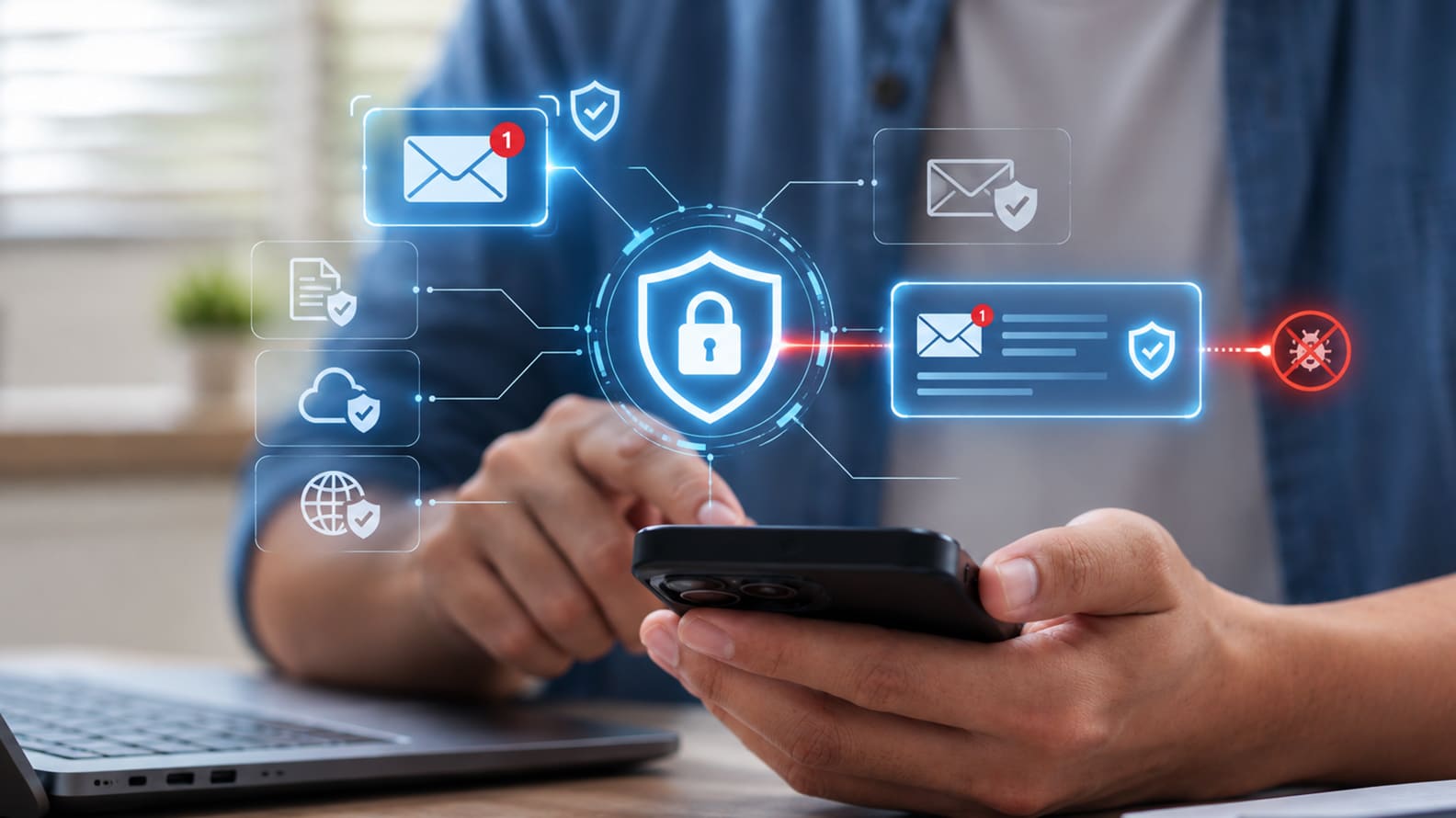
A practical guide to making email safer without turning every invoice, approval, customer reply, and sales follow-up into a security bottleneck.
Business email remains one of the fastest ways to move work forward, which is also why attackers keep using it to reach money, credentials, customer data and trusted business relationships. Strong email security works best when routine communication stays simple and additional verification appears around actions with real consequences, such as changing payment details, resetting access, sharing sensitive information or approving unusual requests.
A safer email environment combines domain authentication, account protection, well-tuned inbox controls, clear verification rules, fast reporting and quick incident response. Employees should be able to send, receive and reply without constantly thinking about security, while finance, HR, executives, administrators and other high-risk roles receive stronger protection around the decisions they are most likely to be targeted for.
Businesses should start by identifying the actions inside email that carry the greatest financial, operational or data risk. Vendor bank-detail changes, payment approvals, payroll updates, password resets, sensitive-data requests and unusual file-sharing instructions all deserve more protection than routine communication. Most day-to-day email should continue moving quickly, while the handful of actions with real consequences follow a clearer verification path.
Cabarrus County in North Carolina learned the importance of that distinction after a fraudulent request appeared to come from a construction vendor. The attacker asked for new banking details, completed the expected Electronic Funds Transfer documentation and eventually redirected a payment worth $2.5 million. A case study on the incident shows how easily fraud can move through a familiar workflow when the process relies heavily on email and supporting paperwork.
The safer approach is to build verification into those high-risk moments before an incident happens. New bank details can be confirmed through an existing vendor contact, payroll changes can move through Human Resources systems, account resets can require stronger identity checks and sensitive data can be shared through approved channels. Clear rules help employees move quickly because they already know which requests need an extra step and which ones can continue through the normal email flow.
Most of the remaining protection can sit quietly in the background. Stronger authentication, domain protection, mailbox monitoring, tuned filtering and simple reporting tools can reduce risk without making every message feel like a security event. That balance is what keeps email usable while still making the actions that matter most much harder to manipulate.
The next priority is to protect the account itself, because a legitimate mailbox gives attackers far more credibility than a suspicious message ever could. Businesses should require Multi-Factor Authentication (MFA) across the workforce, then apply stronger methods to finance teams, executives, Human Resources, Information Technology administrators and other users whose accounts can approve payments, change access or expose sensitive information.
Conditional access, device checks and session controls can add another layer without forcing every employee through the same level of friction on every login. Cloudflare’s 2022 phishing incident shows why stronger authentication matters in practice. Dozens of employees received convincing messages directing them to a fake Okta login page, and several entered their credentials.
Cloudflare had already deployed FIDO2 hardware security keys, which prevented the stolen usernames and passwords from being used to complete authentication. The company’s post-incident account shows how phishing-resistant authentication, rapid reporting and session controls worked together to contain the attack.
Businesses should also monitor what happens after sign-in. New external forwarding rules, unusual mailbox permissions, unexpected OAuth application access, risky sign-ins and sudden changes to inbox rules can all indicate that an attacker is trying to maintain access or watch sensitive conversations. These checks are especially valuable because they run quietly in the background and do not add friction to normal email use.
A well-designed identity layer makes email security easier for employees because most of the control sits outside the message itself. People continue working normally, while the system becomes much better at detecting unusual access, stopping stolen credentials from being useful and limiting what an attacker can do after a compromised login.
Businesses should also make sure their own domains are difficult to impersonate. Sender Policy Framework (SPF), DomainKeys Identified Mail (DKIM), and Domain-based Message Authentication, Reporting and Conformance (DMARC) give receiving mail systems a way to check whether a message genuinely came from an authorised sender and whether it should be trusted. These controls are especially valuable because they improve protection without asking employees to change how they work.
The practical work starts with understanding every service that sends email on the company’s behalf. Microsoft 365 or Google Workspace may handle normal mail, while Customer Relationship Management systems, marketing platforms, payroll tools, billing software, helpdesks and external agencies may all send from the same domain.
Merck used that visibility as part of a wider DMARC programme and, according to a Fortra case study, eventually reached an enforcement position that blocked tens of thousands of fraudulent messages attempting to misuse its domains. The wider benefit came from knowing which senders were legitimate and which activity had no reason to exist.
Businesses should move toward enforcement gradually enough to protect legitimate communication. SPF and DKIM need to be configured correctly for approved senders, DMARC reports should be reviewed to identify alignment problems, and enforcement can then progress toward quarantine or rejection once normal mail flows are stable.
That staged approach matters in companies with multiple departments and external platforms because aggressive enforcement before sender discovery can interrupt marketing campaigns, invoices, support messages or other legitimate business traffic.
Domain authentication also needs occasional maintenance as the business changes. New platforms, acquisitions, abandoned domains and forgotten subdomains can all introduce gaps over time. Keeping the sending inventory current allows security teams to strengthen enforcement quietly in the background while customers, employees and vendors continue receiving legitimate mail without additional steps.
Businesses should avoid applying the same email rules to every employee. Finance teams receive invoices and payment instructions, recruiters open resumes from unfamiliar senders, customer support handles screenshots and attachments all day, and sales teams regularly exchange documents with new prospects. Each workflow carries a different type of risk, so inbox protection works better when policies reflect how people actually use email rather than forcing every team through the same restrictions.
Higher-risk roles deserve tighter controls because their inboxes can trigger actions with greater consequences. Finance, Human Resources, procurement, executive support and Information Technology administrators can be given stronger impersonation protection, stricter forwarding rules, closer monitoring of unusual sign-ins and more aggressive treatment of lookalike domains. Customer-facing teams may need broader access to attachments and links, while risky file types, newly observed domains or unusual requests can still receive additional scanning or review.
The same principle applies to attachments. A recruiter receiving a PDF resume from a new candidate is carrying a very different risk from receiving an unexpected executable file or password-protected archive. Finance teams can continue processing normal invoices while unusual formats, changed payment instructions or files from newly registered domains receive closer inspection. Customer support can keep accepting screenshots and diagnostic files through approved channels that already include scanning and retention.
Role-based policies also reduce the temptation to create workarounds. When legitimate files are constantly blocked, employees eventually find faster routes through personal email, consumer file-sharing services or messaging apps, which reduces visibility for the security team. Well-tuned controls keep normal work moving through approved systems and reserve stronger intervention for the messages, files and users where the potential impact justifies it.
Businesses should build a second verification step around requests that can move money or alter sensitive records. Vendor bank-detail changes, urgent wire instructions, payroll redirections, refund updates and unusual payment exceptions all deserve confirmation through a trusted channel that already exists outside the email thread.
The aim is to give employees a familiar route to verify the request quickly rather than leave them deciding under pressure whether an email looks convincing.
Ubiquiti’s 2015 business email compromise shows how costly weak verification can become. Fraudulent requests targeting the finance team led to transfers worth $46.7 million from a Hong Kong subsidiary to overseas accounts.
The company’s SEC filing shows how attackers were able to use familiar business communication to influence a legitimate financial process. The lesson for most companies is straightforward. Sensitive changes should be confirmed using information the attacker cannot conveniently control inside the same conversation.
A vendor asking to update banking details can be called back using the number already held in the vendor master record. Payroll changes can move through a Human Resources portal or an established employee self-service process.
Large or unusual transfers can require dual approval inside the finance system, while refund-destination changes can be checked against customer records and prior account history. These controls work best when they are written into the normal workflow so employees can follow them without hunting for an exception policy every time.
Clear verification rules also reduce hesitation when a request arrives with urgency or seniority attached to it. Finance teams know which actions always require an additional check, managers know when they need to approve an exception, and vendors understand how changes will be validated. The result is a payment process that stays fast for routine work while making high-risk changes much harder to manipulate through email alone.
Businesses should make reporting a suspicious message almost effortless. Employees are far more likely to flag something when the action takes a few seconds inside Outlook or Gmail, rather than opening a ticket, forwarding headers, taking screenshots or searching for the right security mailbox. A one-click reporting button gives the security team the original message and technical details while letting the employee return to work immediately.
Freshworks built that kind of reporting directly into employees’ Gmail experience through a Phish Alert Button, making suspicious messages easier to flag without leaving the inbox. Its account of the programme shows how reporting, training and simulated phishing were treated as part of the same operating model. The useful part is the simplicity. Employees did not have to understand headers or threat indicators before raising a concern.
The response after the report matters just as much. Employees should receive a short update telling them whether the message was malicious, safe or still being investigated. When a reported email leads to similar messages being removed from other inboxes, that feedback also reinforces the value of reporting and gives people a better feel for what genuinely deserves attention.
Security teams should then track reporting quality and response speed over time. A rising number of reports can be healthy if employees are surfacing real threats early, while large volumes of harmless marketing emails may point to confusing warning design or low confidence. The most useful measure is whether suspicious messages are reaching the security team quickly enough for action to happen before credentials, money or sensitive data are exposed.
Businesses should monitor the mailbox changes that can quietly extend an attacker’s access after an account has been compromised. New forwarding rules, automatic deletion, unusual inbox filters and external forwarding can all give an attacker continued visibility into conversations without disrupting the mailbox enough to alert the user.
Microsoft has documented Business Email Compromise campaigns in which attackers created rules that specifically watched for words such as invoice, payment and statement, then forwarded those messages to attacker-controlled accounts while deleting traces from the victim’s inbox. Microsoft’s investigation found hundreds of compromised mailboxes across multiple organisations using similar patterns.
That makes mailbox behaviour worth monitoring in the same way companies monitor unusual sign-ins or privileged access. Security teams should receive alerts when a user creates external forwarding, when rules suddenly begin moving or deleting financial messages, or when suspicious changes appear soon after a risky login.
Microsoft’s current guidance on compromised Microsoft 365 accounts lists unexplained forwarding, suspicious inbox rules and missing or deleted messages among the common signs that a mailbox may have been taken over.
External forwarding also deserves a clear policy. Some teams may have legitimate reasons to forward messages to another managed account, while unrestricted forwarding to personal or unknown addresses creates an easy route for data to leave the business. Microsoft 365 allows administrators to control automatic external forwarding through policy, which gives companies a practical way to preserve approved use cases while limiting unnecessary exposure.
The response should already be defined when a suspicious rule appears. Security teams can remove the rule, revoke active sessions, reset credentials, review sent and deleted items, search for similar messages across the environment and check whether finance, vendors or customers were contacted.
Most employees never need to think about these controls during normal work, yet they can reveal a compromised mailbox early enough to prevent a much larger financial or data-loss incident.
Businesses should train employees around the decisions they actually make through email, because generic phishing advice only goes so far. Finance teams need to know how to handle a supplier asking for new bank details. Human Resources should have a clear way to verify payroll changes.
Sales teams need to recognize document-sharing requests that unexpectedly ask for Microsoft 365 credentials, while executive assistants and procurement teams need simple rules for urgent payment or gift-card requests. Training becomes more useful when it mirrors the situations people already encounter during a normal week.
Bp took a similar approach when it expanded its phishing simulation programme across roughly 75,000 employees. According to Microsoft’s customer story, the company moved from a handful of annual campaigns to two automated simulations every month and used the results to reinforce behaviour more quickly.
Employees who correctly identified and reported simulated phishing could receive feedback within minutes, helping turn the exercise into an immediate learning moment rather than a delayed compliance activity.
Role-based training also keeps the content relevant. Finance employees can practise vendor impersonation and invoice fraud, Human Resources can work through payroll and employee-data requests, and executives can be exposed to believable impersonation attempts that reflect the authority attached to their roles.
Microsoft has also observed that Business Email Compromise campaigns frequently target executives, finance managers and Human Resources staff because those roles control money, employee records and business information. Its analysis of BEC attack patterns shows payroll, invoice and executive-themed lures repeatedly appearing in real campaigns.
The training programme should also make fast reporting part of the expected behaviour. An employee who clicks on a convincing message and reports it immediately gives the security team time to revoke sessions, reset credentials and search for related messages.
That habit is far more valuable than creating a culture where people hide mistakes because they expect blame. Good email training therefore builds confidence around a small number of important decisions and gives employees a clear route to act when something feels wrong.
Businesses should protect the trust that sits around their email domain, because attackers can damage that trust without ever entering the company’s own Microsoft 365 or Google Workspace environment. Lookalike domains, spoofed sender identities and fake payment instructions can be aimed directly at customers or suppliers, creating financial and reputational damage while the internal mail system remains untouched.
Loisirs Enchères, a French travel and leisure company, faced exactly that problem across a large domain estate. Attackers were spoofing its domains to target customers, while legitimate invoices and marketing emails were sometimes being marked as spam.
The company relied heavily on email for both customer communication and transactions, so trust and deliverability were part of the same problem. According to a Mimecast case study, the company eventually gained visibility across 160 domains and strengthened Domain-based Message Authentication, Reporting and Conformance (DMARC) protection across them.
Businesses should also monitor common misspellings and lookalike versions of important domains, particularly where customers or vendors regularly receive invoices and payment instructions. An attacker can register a domain that differs by a single character, authenticate it correctly and send messages that look entirely legitimate to the recipient.
Security controls around the primary corporate domain will not automatically stop that kind of impersonation, so domain monitoring and clear verification rules need to extend beyond the company’s own inboxes. Customer and vendor communication can reduce the attack surface further. Businesses should make it clear how payment changes, password requests and sensitive document exchanges will normally happen.
Customers can be told that bank details will never change through an unexpected email, while suppliers can be given a known verification route for payment or account updates. Clear external rules make fraudulent requests easier to challenge because the legitimate process is already understood on both sides.
Businesses should make email security part of normal operating responsibility rather than leaving everything with Information Technology or the security team. The controls work better when each function owns the decisions closest to its work.
Finance should own payment verification and vendor bank changes, Human Resources should own payroll updates and employee data flows, department managers should reinforce reporting and approval rules, while IT and security maintain the technical controls that support those decisions.
A simple ownership model keeps the security process clear without adding unnecessary layers:
| Owner | Core Responsibility | What Good Looks Like |
| IT and email administration | Maintain authentication, filtering, forwarding controls, retention, audit logs and mailbox policies | Controls stay current as systems, vendors and domains change |
| Security team or remote specialist | Triage reported messages, investigate suspicious activity, tune policies and track incidents | Threats are handled quickly and employees receive useful feedback |
| Finance | Verify payment changes, vendor banking updates and unusual transfer requests | High-risk financial changes follow a known verification path |
| Human Resources | Verify payroll changes, manage employee access and support secure onboarding and offboarding | Employee data and payroll instructions move through controlled workflows |
| Legal and compliance | Manage notification, retention, evidence and contractual requirements | Email incidents can be handled cleanly when customer or employee data is involved |
| Department managers | Reinforce role-specific rules and escalation paths | Teams understand which requests need extra verification and where to ask for help |
The operating model should be simple enough to hold up during a busy week. Finance should not have to interpret a long policy every time a supplier asks for new banking details, and recruiters should not need IT approval for every routine attachment. Clear ownership, short verification rules and well-tuned background controls help people move quickly because the safe path is already built into the way the business works.
Remote cybersecurity support can also fit naturally into this model, particularly for companies with lean internal teams. A dedicated specialist can monitor Domain-based Message Authentication, Reporting and Conformance (DMARC) reports, review mailbox alerts, triage suspicious messages, track forwarding exceptions and prepare monthly email-security metrics, while internal leaders continue to own business decisions and risk acceptance. That division of responsibility gives the company more operating discipline without adding friction to the people using email every day.
Businesses should track a small set of email security metrics that reveal whether controls are improving, where risky behaviour is increasing and how quickly the organisation can respond when something slips through. The useful measures are the ones that connect directly to domain protection, employee behaviour, account compromise, payment verification and recovery. They should be reviewed often enough to spot drift before it becomes normal.
| Metric | What It Shows | Healthy Direction |
| Domain-based Message Authentication, Reporting and Conformance enforcement coverage | How much of the company’s domain estate is protected against direct spoofing | More important domains moving toward quarantine or reject once legitimate senders are validated |
| Phishing report rate | Whether employees are using the reporting path when something looks suspicious | Strong reporting participation with improving report quality |
| Time to triage reported messages | How quickly security can assess suspicious email and act | Lower response time over successive months |
| Risky mailbox rules detected | Whether unusual forwarding, deletion or filtering behaviour is appearing | Low volume with rapid investigation |
| External forwarding exceptions | Where mail is leaving controlled company accounts | Fewer exceptions and clear business ownership |
| Payment verification exceptions | Where finance or vendor-change rules are being bypassed | Close to zero, with every exception reviewed |
| Account compromise recovery time | How quickly sessions, credentials and mailbox access can be contained and restored | Faster recovery with fewer repeat incidents |
The trend across several months matters more than one isolated number. A sudden increase in forwarding exceptions, slower phishing triage or repeated payment-control bypasses usually tells leadership that part of the operating model is weakening.
The same applies when DMARC coverage stalls because forgotten marketing tools or vendor platforms remain outside authentication. Those patterns give the business something concrete to fix before they surface inside a fraud investigation.
Email security metrics also help separate genuine friction from perceived friction. If stronger controls around finance reduce fraudulent payment exceptions without increasing processing delays, the design is working. If attachment policies generate a growing number of workarounds or employee complaints, the policy may need re-tuning. Measurement gives security teams a way to improve protection around the business rather than simply adding more controls and hoping people will adapt.
Businesses can make email security harder to use when controls are added without enough attention to how people actually work. Generic warnings on every external message, aggressive attachment blocking, poorly tuned quarantine rules and blanket restrictions often create a predictable response.
Employees start asking for exceptions, moving files through personal accounts, or using unapproved channels because the official route feels slower than the work requires. A few patterns are worth watching closely:
The practical fix is usually to simplify the control rather than add another layer. High-risk actions need clear verification, background protections need proper tuning, and employees need fast routes for reporting and legitimate exceptions. When those three pieces work together, security becomes easier to follow because the expected behaviour fits naturally into the workflow instead of competing with it.
Businesses get the best results when email security is designed around the way people already communicate, approve, share and escalate. The strongest controls sit quietly in the background through stronger authentication, domain protection, mailbox monitoring and tuned filtering, while a smaller number of higher-risk actions receive additional verification.
That balance helps employees keep moving while giving the company much better protection around money, identities, customer data and sensitive business decisions.
The operating discipline matters just as much as the technology. Finance should know how vendor changes are verified, Human Resources should have a clear process for payroll updates, employees should be able to report suspicious messages in seconds, and security teams should be able to investigate unusual mailbox behaviour quickly.
Customers and vendors should also understand the channels the company uses for payment changes, password requests and sensitive document exchange, reducing the room attackers have to exploit trust outside the organisation.
Email security works best when employees rarely have to think about it during normal work. The systems handle most of the protection, high-risk actions follow familiar verification paths, and people know exactly what to do when something feels unusual. That is the standard businesses should aim for because it keeps email fast enough for everyday work while making the actions with the greatest potential impact much harder to abuse.
Businesses should keep routine communication simple and add stronger controls around the actions that carry real financial, operational or data risk. Normal customer replies, sales follow-ups and document exchanges should continue with minimal interruption, while payment changes, payroll updates, password resets, sensitive-data requests and unusual file-sharing instructions follow a clearer verification path.
Most of the technical protection can operate quietly in the background through stronger authentication, domain protection, mailbox monitoring and tuned filtering. Employees should only feel additional friction when the consequence of a mistake is significant. That balance helps preserve productivity while making the most damaging forms of email abuse much harder to carry out.
Finance, Human Resources, procurement, executive support, senior leadership and Information Technology administrators usually need stronger protection because their inboxes can influence payments, access, sensitive records and business-critical decisions. These users are also more attractive targets for impersonation and account takeover because of the authority attached to their roles.
Stronger protection can include phishing-resistant Multi-Factor Authentication, tighter forwarding controls, closer monitoring of unusual sign-ins, stronger impersonation detection and faster investigation of suspicious mailbox changes. The controls should reflect the level of authority and data access attached to the role rather than applying the same restrictions to every employee.
Sender Policy Framework, DomainKeys Identified Mail, and Domain-based Message Authentication, Reporting and Conformance are important because they help receiving systems verify whether a message genuinely came from an approved sender and whether the company domain is being spoofed. They are especially valuable because they improve protection without adding any visible steps for employees.
Businesses should still combine them with account security, inbox protection, mailbox monitoring, payment verification and user reporting. A compromised real mailbox or a convincing lookalike domain can still be used in fraud even when the company’s own domain authentication is strong. Email security works best when domain protection is one layer inside a broader operating model.
External forwarding should usually be tightly controlled because it can create a quiet route for company information to leave the managed environment. Attackers may create forwarding rules after compromising an account, and employees sometimes use forwarding to personal accounts for convenience, which can weaken retention, monitoring and incident response.
Legitimate exceptions can still be supported through approved rules, shared mailboxes or delegated access. The important part is visibility. Security teams should know which accounts can forward externally, why the exception exists, who approved it and whether the business still needs it.
Businesses should always verify new or changed bank details through a trusted channel that already exists outside the email thread. That can mean calling a known vendor contact using the number in the master record, confirming the change through a supplier portal or using a finance workflow that requires independent approval.
The rule should be simple enough for employees to remember during a busy day. Any request that changes where money will be sent should trigger the same verification step regardless of how convincing the email looks or how urgent the request appears. Building the rule into the normal process removes much of the uncertainty employees otherwise face.
The reporting path should be available directly inside the email platform and take only a few seconds. A one-click reporting button is usually the easiest option because it preserves the original message and technical details for security review without asking employees to open tickets or forward screenshots manually.
Employees should also receive feedback after reporting. A short response confirming whether the message was malicious, safe or still under investigation helps people improve their judgement and shows that reporting leads to action. Over time, that feedback builds a stronger reporting culture and gives security teams earlier visibility into attacks that automated filters may have missed.
Attachment controls should reflect the type of file, the sender relationship and the role of the recipient. Recruiters, finance teams, customer support and sales all receive different kinds of legitimate files, so blanket restrictions often create unnecessary workarounds.
Businesses should apply stronger controls to higher-risk file types such as executable files, unexpected compressed archives and password-protected attachments, while allowing routine business files to move through approved scanning and filtering. Where teams regularly handle higher-risk documents, a secure upload portal can provide a cleaner option than forcing every exchange through the inbox.
Core settings should be reviewed regularly and whenever the business changes the way it sends or receives email. New marketing platforms, billing tools, domains, Customer Relationship Management systems, acquisitions and vendor integrations can all affect authentication, filtering and forwarding rules.
Higher-risk signals need more frequent attention. Suspicious mailbox rules, unusual sign-ins, external forwarding, failed authentication and reported phishing should feed into ongoing monitoring. The review cadence should reflect the risk and the pace at which the email environment changes.
Remote specialists can support a large part of the ongoing email security workload, including Domain-based Message Authentication, Reporting and Conformance monitoring, suspicious-message triage, mailbox-rule review, policy tuning, reporting workflows, incident documentation and monthly security metrics. This can be particularly useful for smaller internal teams that already manage several security responsibilities at once.
The arrangement works best when access is tightly controlled and responsibilities are clearly defined. Internal leaders should still own payment rules, vendor verification, risk acceptance and other business decisions, while the remote specialist keeps the technical controls, monitoring and reporting consistent.
A useful monthly view should include domain-authentication coverage, phishing report rate, time to triage suspicious messages, risky mailbox rules, external forwarding exceptions, payment-verification exceptions and account-compromise recovery time. Together, these measures show whether both the technical controls and the business processes around email are improving.
The trend across several months matters more than any single number. Faster reporting, fewer unmanaged forwarding rules, stronger domain enforcement and quicker containment all indicate that the operating model is becoming more reliable. Repeated exceptions or slower response times help leadership see where the process needs attention before the weakness becomes part of a larger incident.
Sep 19, 2026 / 22 min read
Sep 18, 2026 / 23 min read
Sep 16, 2026 / 26 min read