
How the Cybersecurity Talent Shortage Is Weakening Business Resilience
Sep 19, 2026 / 22 min read
September 5, 2026 / 25 min read / by Team VE
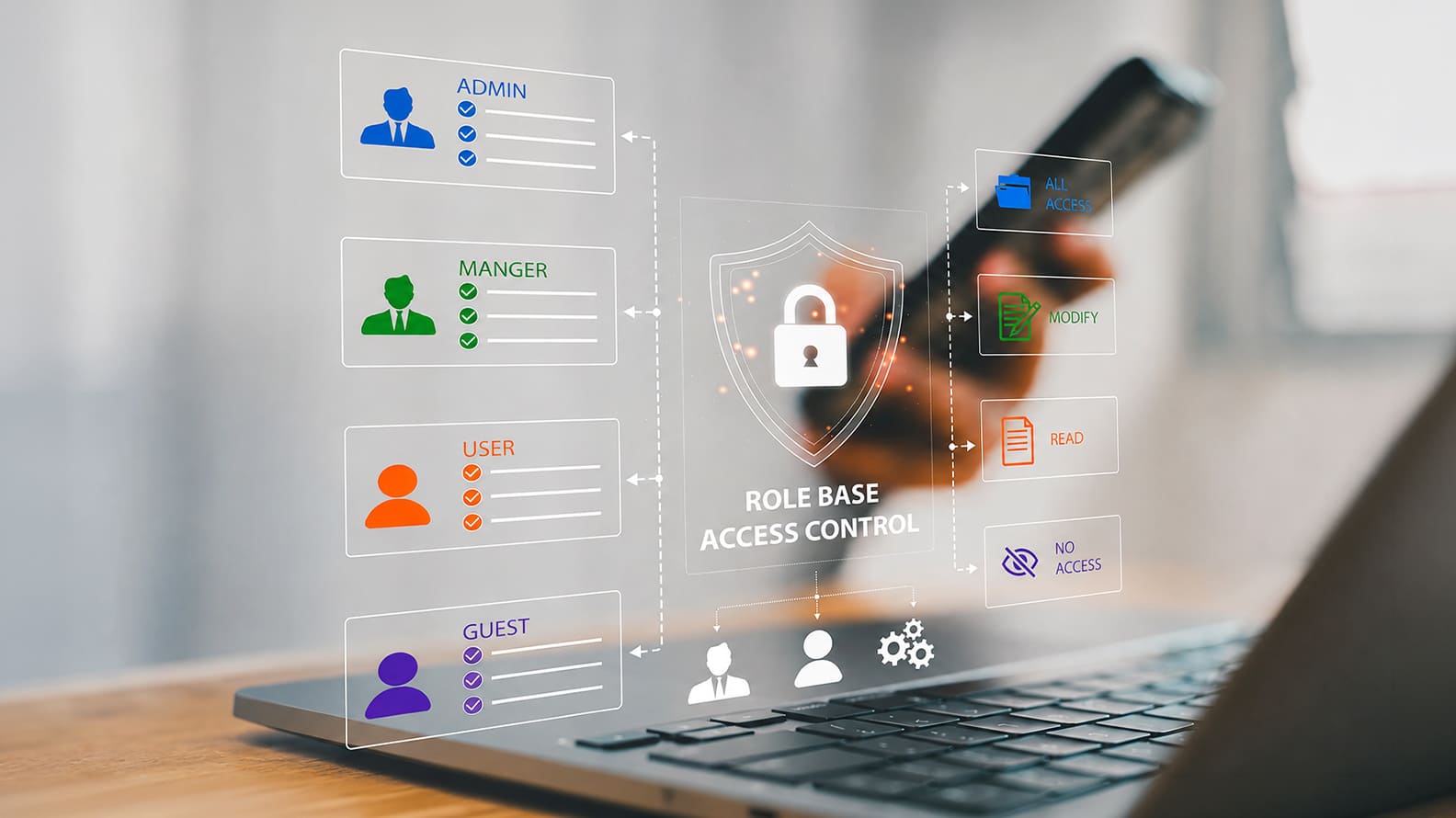
A practical guide to why password managers only improve security when ownership, sharing, recovery, offboarding, MFA, and access rules are built around them.
Password managers solve a real problem: they reduce password reuse, make stronger credentials easier to use, and give companies a safer way to store and share business logins. But installing one does not automatically make credential security good. The risk simply moves into a smaller number of places: the master account, shared vaults, recovery methods, administrator access, and the rules around who can see or keep sensitive credentials.
Most failures happen because companies treat the password manager as a tool rather than part of the identity system. Employees keep passwords in browsers or spreadsheets, teams create shared accounts with no clear owner, former staff retain vault access, emergency recovery is improvised, and administrator privileges grow without regular review.
The stronger model combines the password manager with SSO where appropriate, strong MFA, controlled sharing, clear ownership, disciplined onboarding and offboarding, audit visibility, and a gradual move toward phishing-resistant authentication such as passkeys or FIDO2 for the accounts that matter most.
Most companies adopt a password manager for the right reason. People have too many accounts to remember, password reuse is difficult to eliminate through policy alone, and shared credentials often end up in spreadsheets, chat messages, browser stores, or personal notes.
A managed vault gives employees somewhere better to put those credentials and makes long, unique passwords practical at scale. The UK National Cyber Security Centre’s password manager guidance for organisations makes the same basic case, but it also treats the choice as an organisational security decision rather than simply a convenience tool.
The mistake comes when deployment is treated as the end of the project. A password manager concentrates access to many systems behind a smaller number of highly valuable identities, vaults, recovery methods, and administrator privileges. If those controls are weak, the company may improve password hygiene while creating a new concentration of risk.
A user who previously reused weak passwords across five systems might now have five strong passwords, but if the vault itself is protected by weak authentication or an unsafe recovery process, the attacker has a much more efficient target.
Shared business credentials make this harder. Some accounts still cannot be tied cleanly to individual users. Agencies may need access to advertising platforms, operations teams may share legacy systems, and infrastructure credentials may need controlled emergency use.
A password manager can make that sharing considerably safer, but only when the company knows who owns each credential, who is allowed to reveal or use it, whether access is logged, and how that access is removed. Otherwise, a shared vault can become a better-organised version of the same accountability problem the company had before.
The real security value therefore comes from the rules around the vault. Employees need to know which credentials belong inside it, whether personal vaults are allowed for company accounts, how shared records should be created, when administrator access is justified, how emergency recovery works, and what happens to vault membership when somebody changes role or leaves.
Those decisions determine whether the password manager becomes part of the company’s identity architecture or simply another application containing some of its most sensitive secrets.
Once a company centralises credentials, the password manager becomes one of the most sensitive systems in the environment. That does not make centralisation a bad idea. It means the security model has changed. Instead of dozens of weak passwords scattered across browsers and documents, the organisation now has a smaller number of highly valuable vaults, administrator roles, recovery methods, and authentication paths that deserve stronger protection than an ordinary SaaS account.
The master account matters because compromise can expose far more than a single login. Depending on the product and configuration, an attacker who takes over a user or administrator identity may gain access to business applications, infrastructure credentials, API keys, recovery codes, shared accounts, and notes containing other sensitive information.
Even where vault encryption protects stored secrets, attackers may still target active sessions, compromised endpoints, recovery mechanisms, browser extensions, or users who can legitimately decrypt the vault. The security question is therefore not simply whether the passwords are encrypted. It is whether the paths that unlock and administer them are difficult to abuse.
Privileged users deserve particular attention. Password-manager administrators may be able to add users, change policies, approve recovery, manage shared collections, or alter authentication settings. Those privileges should not sit permanently on everyday accounts simply because someone works in IT. Separate administrative identities, stronger authentication, limited recovery authority, and audit logging make it harder for a single compromised account to become a company-wide credential incident.
The same principle applies to recovery. A secure vault with a weak fallback process is still weak. If support staff can reset access based on a loosely verified request, if recovery codes are stored beside the credentials they protect, or if one person can approve their own recovery, the organisation has created an easier route around its strongest controls. Recovery should be designed as part of the threat model from the beginning, because during an actual lockout or incident, convenience pressure is usually at its highest.
Shared credentials are where password-manager deployments often become messy. Some shared access is unavoidable, especially with legacy systems, social accounts, vendor portals, infrastructure tools, or applications that still do not support individual identities properly. The problem is not that a credential is shared. It is that access often becomes permanent, anonymous, and difficult to unwind.
A shared vault should therefore answer three questions clearly: who owns the credential, who genuinely needs access, and what happens when that need ends. Without those answers, access accumulates. A contractor may still see a credential months after a project closes, a former team member may remain in a collection, or a shared account may continue to be used even after the platform introduces proper named-user access.
For higher-risk shared credentials, the control should be tighter:
The longer-term goal should also be to reduce shared credentials wherever the application allows it. Named accounts, role-based permissions, SSO, and individual MFA provide much better accountability because every important action can be tied back to a person. A password manager is most valuable when it helps control the shared credentials the business cannot yet eliminate, not when it becomes an excuse to keep them indefinitely.
A password manager is easiest to manage when people join. The harder test comes when they leave, change roles, move between teams, or finish a temporary project. That is where dormant access, forgotten shared vault membership, and old administrative privileges tend to survive long after the original business need has disappeared.
Good offboarding should remove more than the user’s main account. It should close their access to shared vaults, revoke active sessions, remove recovery privileges, transfer ownership of business credentials, and identify any shared accounts that may need rotation. If the departing user had access to high-value or privileged credentials, those records deserve immediate review rather than waiting for the next scheduled access check.
Role changes matter just as much. An employee who moves from IT into another function should not carry privileged vault access simply because nobody remembered to remove it. Contractors and agencies create the same problem because their access is often tied to projects rather than standard HR processes. The more exceptions a company has, the more important it becomes to make password-manager access part of the formal joiner, mover, leaver workflow.
A useful offboarding check for higher-risk vault access is simple:
If a company cannot confidently answer what happens to vault access when someone leaves, the password manager is not yet operating as part of the identity system. It is still being managed as a standalone tool.
A password manager should sit behind stronger authentication than an ordinary business application because compromise can expose access to many other systems at once. MFA is therefore essential, but the quality of that MFA matters. SMS codes, push approvals, authenticator apps, hardware security keys, and passkeys do not provide the same resistance to phishing or session theft.
For privileged users and employees with access to sensitive shared vaults, phishing-resistant authentication should be the target. CISA’s guidance on phishing-resistant MFA recommends FIDO-based authentication because the credential is bound to the legitimate service rather than relying on a user correctly recognising a fake login page. That becomes particularly valuable for password managers, where a convincing phishing page can put access to many downstream accounts at risk.
The harder problem is recovery. Companies sometimes deploy strong MFA and then leave a much weaker route around it through email recovery, help-desk resets, backup codes, or administrator overrides. Those mechanisms are necessary, but they should be treated as privileged security functions rather than convenience features.
Recovery authority should be restricted, important resets should require strong identity verification, and emergency procedures should be tested before someone is locked out under pressure.
For the highest-risk accounts, it can also make sense to keep more than one phishing-resistant authenticator available, stored separately, so a lost device does not force the company into an unsafe recovery shortcut. The goal is to make normal authentication strong without making the fallback path easier to attack than the front door.
The biggest competitor to an enterprise password manager is usually not another security product. It is the browser. Chrome, Edge, Safari, and Firefox offer to save credentials at exactly the moment employees need convenience, and that makes browser storage easy to adopt even when the company has already paid for a managed vault.
The problem is duplication. Some credentials end up in the corporate password manager, while others remain tied to personal browser profiles, unmanaged devices, or synced accounts outside company control. Security may believe a user’s access has been removed because their vault account was disabled, while old credentials still exist on a personal laptop or browser profile.
Even if those passwords are later changed, the saved entries can still reveal which systems the company uses, which accounts exist, and where an attacker might focus on phishing or reconnaissance.
This is why browser storage needs an explicit rule. On managed devices, companies should decide whether browser password saving is disabled, whether employees must use a managed work profile, and whether the password manager’s extension is the default route for saving and autofilling credentials. Personal devices need equally clear boundaries, especially where company accounts can be accessed from unmanaged browsers.
The governance problem is that browser password stores sit outside the controls the company expects from its enterprise credential system. If employees can store business passwords wherever they choose, access reviews and offboarding can only ever provide a partial picture.
Private vaults are useful because employees need somewhere to store credentials that do not belong in a team collection. The problem begins when company accounts drift into those private spaces. A founder may keep the domain registrar there because the business started informally.
A salesperson may save a CRM administrator login privately because they created the account themselves. A contractor may hold a client portal password in their own vault because nobody set up a shared location.
That creates a governance gap because the company can no longer see, transfer, or reliably revoke access to credentials it still depends on. The risk usually becomes visible during a role change, emergency, or departure, when someone discovers that an important account is controlled by one individual’s vault rather than by the business.
The rule should therefore be simple: business-critical credentials belong in company-controlled vaults or systems, even when only one person currently uses them. Private vaults can still exist, but they should not become the final resting place for shared accounts, administrator logins, recovery codes, domain access, finance credentials, or customer systems.
This distinction also protects continuity. A credential tied to the company should remain accessible when employees move roles, go on leave, or leave entirely. If the business has to contact a former employee to recover access to a critical account, the problem was not password strength. It was ownership.
Once employees trust a password manager, they often start putting anything sensitive inside it. That can include software licence keys, recovery codes, payment details, API tokens, SSH keys, identity documents, private notes, client information, or infrastructure credentials. The instinct is understandable because the vault feels safer than email or a spreadsheet, but “secure storage” does not mean “appropriate storage.”
Different secrets need different controls. A shared website login may belong in a password manager, while a production API key or deployment token may be better handled by a dedicated secrets-management platform that supports rotation, service identities, short-lived credentials, and tighter machine access.
Highly privileged administrator credentials may need privileged access management rather than an ordinary team vault. Employee documents and financial records belong in systems designed around their own access and retention requirements.
The practical rule is to define what the password manager is for before employees define that boundary themselves. A simple model works well:
| Usually Appropriate | Needs Stronger or Different Controls |
| Business website logins | Production API keys and service credentials |
| Shared operational accounts | Cloud root or break-glass administrator access |
| Recovery codes for approved accounts | SSH private keys and signing certificates |
| Wi-Fi and device setup credentials | Payment card data or sensitive HR records |
| Limited operational secure notes | Large amounts of client or regulated data |
The distinction matters most during an incident. If a vault is compromised or exported, the response team needs to understand what was exposed quickly. A vault containing clearly classified business credentials is much easier to scope than one that has gradually become the company’s unofficial repository for every secret nobody knew where else to put.
Password managers are often introduced as the safer alternative to sending credentials through email, chat, or spreadsheets. That is true only if sharing itself is controlled. Moving a password into a vault does not reduce much risk if everyone can still reveal it, copy it, export it, or keep access indefinitely.
Shared access should therefore work more like permissioning than file sharing. Sensitive credentials should be available only to the people who need them, and temporary access should expire where the platform supports it. External contractors should not automatically receive the same rights as employees, and high-risk vaults should restrict export or password reveal when those capabilities are unnecessary.
The strongest setup usually follows a few simple rules:
This is the point where a password manager stops being a cleaner place to keep passwords and starts becoming an actual access-control layer. If the company can answer who had access, when they received it, what they were allowed to do, and when that access ended, the vault is doing useful security work. If it cannot, the interface may have improved while the underlying sharing problem remains.
Most password-manager policies fail because they are written as security documents rather than working instructions. Employees do not need another abstract rule telling them to “store credentials securely.” They need to know what to do when a client sends a shared login, when a new SaaS tool is created, when a contractor needs temporary access, when an old password is found in a spreadsheet, or when someone is unsure whether a recovery code belongs in the vault.
That means the policy should answer the decisions people actually make during the day. At minimum, employees should know:
The admin side should be separate. IT and security need more detailed rules around vault creation, administrator privileges, exports, recovery, logging, access reviews, and exceptions. Sensitive areas such as finance, cloud administration, production systems, domain control, and client credentials may need even tighter standards.
Keeping those layers separate prevents the policy from becoming another document everyone acknowledges and nobody remembers. Employees get a short set of rules they can actually follow, while administrators get the controls needed to manage the platform properly. The policy succeeds when it removes ambiguity from everyday credential handling, not when it covers every possible scenario in fifteen pages.
By this point, the pattern is clear: the technology rarely fails first. The operating model does. Most weak deployments show the same handful of symptoms, and they are easier to spot when treated as control failures rather than user mistakes.
| Failure Area | What It Looks Like | What Fixes It |
| Adoption without enforcement | Licences are issued, but passwords still sit in browsers, spreadsheets, chat, or notes. | Define the approved storage path and block or monitor unsafe alternatives where possible. |
| Unclear vault ownership | Shared folders grow around teams and clients, but nobody is accountable for access accuracy. | Assign an owner to every sensitive shared vault and review membership regularly. |
| Loose admin privileges | Too many administrators can change policies, approve recovery, export data, or alter access. | Limit admin roles, separate duties, require stronger authentication, and review privileged activity. |
| Weak handling of leavers and movers | Users lose their main account but retain shared credentials, recovery access, or old vault membership. | Connect vault access to formal joiner, mover, and leaver processes. |
| No review rhythm | Logs and reports exist but are checked only during audits or after a scare. | Run targeted reviews for high-risk vaults, administrators, exports, and dormant access. |
| Too much stored in one place | The vault gradually fills with credentials, API keys, recovery codes, personal data, and other secrets with different risk profiles. | Define what belongs in the password manager and move higher-risk secrets to systems designed for them. |
The useful question is not whether the company has deployed a password manager. It is whether the unsafe credential paths around it have actually disappeared. If employees still maintain parallel stores, shared access still lacks ownership, or administrative power is broader than necessary, the organisation has improved the interface without fully improving the control environment.
Password managers are still one of the most practical ways for companies to reduce password reuse, control shared credentials, and move sensitive access out of spreadsheets, chat messages, browsers, and personal notes. The mistake is assuming that buying the tool solves the problem. In practice, the real security value comes from the operating rules around it.
A well-run program makes ownership visible, keeps company credentials inside company-controlled systems, limits who can share or export them, protects the vault with strong authentication, and removes access cleanly when people move roles or leave. It also recognises that not every secret belongs in the same place and that some high-risk accounts should gradually move toward named identities, SSO, passkeys, PAM, or dedicated secrets-management systems.
That is the useful standard for judging whether the deployment is working. The question is not how many passwords are stored in the vault. It is whether the company has reduced unsafe credential paths, eliminated unnecessary sharing, tightened privileged access, and made recovery and offboarding predictable. The password manager should make credential risk easier to govern over time, not simply easier to store.
Yes, when they are properly configured and governed, business password managers are usually far safer than the alternatives they replace. Reused passwords, browser storage, spreadsheets, email drafts, chat messages, and personal notes all create weak visibility and poor lifecycle control. A managed vault gives the company a central place to generate strong credentials, control sharing, enforce MFA, review access, and remove users when they leave.
The important caveat is concentration. A password manager becomes a critical system because many credentials sit behind it. That does not make it unsafe, but it does mean the vault, administrator accounts, recovery process, and export controls need stronger protection than an ordinary productivity tool. The right question is therefore not whether password managers are safe in isolation, but whether the company is operating one as part of its identity and access environment.
In most cases, no. Business credentials should live in company-controlled vaults or other approved enterprise systems because the company needs to retain ownership of those credentials when employees change roles, leave, go on extended leave, or stop working on a particular account. A credential stored in a personal vault may be technically secure but operationally outside the company’s control.
There can be temporary exceptions during a very early-stage setup, acquisition, or unusual contractor engagement, but those should have a clear end date and migration plan. The permanent rule should be simple: if the credential belongs to the business, the business should be able to govern, transfer, rotate, and revoke it without depending on one individual.
Browser password saving is not automatically insecure, but it creates a governance problem because credentials can become fragmented across managed and unmanaged environments. A password may sync into a personal browser profile, remain on a personal device, or sit outside the access reviews and offboarding controls the company expects from its enterprise password manager.
The bigger issue is visibility. If some credentials live in the company vault and others live in browser stores, security cannot confidently answer who still has access after a role change or departure. On managed devices, companies should define whether browser saving is permitted, whether managed browser profiles are required, and whether enterprise password-manager autofill should replace browser storage entirely.
Only if sharing is genuinely unavoidable. Many applications now support individual accounts, role-based access, SSO, or separate administrator identities, and those options are usually preferable because they provide much better accountability. If five people share one password, an incident log may show that the account acted, but not which person actually performed the action.
Shared vaults are still useful for legacy systems, vendor portals, social accounts, client-provided credentials, and other services that do not support proper individual access. In those cases, the credential should have a named owner, tightly limited membership, appropriate MFA, review dates, and rotation when team composition changes.
Yes. The vault itself should have strong MFA because it may contain credentials, recovery codes, account information, and access paths to many systems at once. Protecting the downstream accounts does not remove the need to protect the system that stores the credentials used to reach them.
Higher-risk users such as administrators, finance staff, infrastructure teams, and people with access to sensitive shared vaults should ideally use phishing-resistant authentication. The company should also review recovery mechanisms carefully because weak help-desk resets, poorly protected backup codes, or broad administrator recovery rights can undermine an otherwise strong MFA design.
Removing the user from the password manager is only the first step. The company should identify the shared vaults and high-risk credentials the person could access, revoke active sessions, remove recovery or administrator privileges, transfer ownership of any business records, and decide which credentials need to be rotated.
Rotation should be risk-based. A low-value shared account may not need immediate replacement, while banking, payroll, cloud administration, domain management, production, client systems, or high-value SaaS credentials usually deserve faster action. The important point is that offboarding should account for both identity access and knowledge of shared secrets.
Sometimes, but it should not become the default place for every kind of secret. Password managers are well suited to human credentials, recovery codes, shared website logins, Wi-Fi passwords, and some operational notes. Production API keys, deployment tokens, service credentials, certificates, and machine secrets often need different controls.
Dedicated secrets-management or privileged-access systems can provide stronger capabilities such as automated rotation, short-lived credentials, machine identity, scoped access, and integration with development pipelines. The decision should be based on how the secret is used, how sensitive it is, and whether humans actually need to see it.
The frequency should follow the risk. High-value vaults containing finance, payroll, infrastructure, production, domain, client, legal, or executive credentials should usually be reviewed more frequently than ordinary team folders. Quarterly is a reasonable baseline for sensitive access, with faster review after major role changes, contractor exits, or security events.
The review should not simply confirm that a user still works at the company. It should ask whether they still need that specific access, whether they still need reveal or export rights, whether external members remain necessary, and whether the shared credential itself can now be replaced with named access.
Encryption and password generation matter, but enterprise controls matter just as much. Companies should evaluate MFA support, SSO or directory integration, automated provisioning and deprovisioning, role management, shared-vault permissions, administrator separation, audit logs, export controls, recovery options, device policies, and support for external users where required.
The selection should also reflect the company’s actual credential problem. A business with many client-shared accounts has different needs from one focused mainly on internal SaaS access. A development-heavy company may care more about integrations with secrets management, while a remote services company may place greater emphasis on contractor controls and rapid offboarding.
Passkeys and other phishing-resistant authentication methods should reduce the number of passwords companies depend on, especially for major SaaS platforms and individual employee accounts. That is a positive direction because fewer reusable shared secrets generally means less credential risk.
Password managers are unlikely to disappear quickly, however, because businesses still depend on legacy systems, vendor portals, recovery credentials, shared operational accounts, client-provided logins, and services that do not yet support modern authentication. The better strategy is to use the password manager to govern the passwords that still exist while steadily replacing high-risk shared credentials with stronger identity models wherever possible.
Sep 19, 2026 / 22 min read

Sep 18, 2026 / 23 min read

Sep 16, 2026 / 26 min read