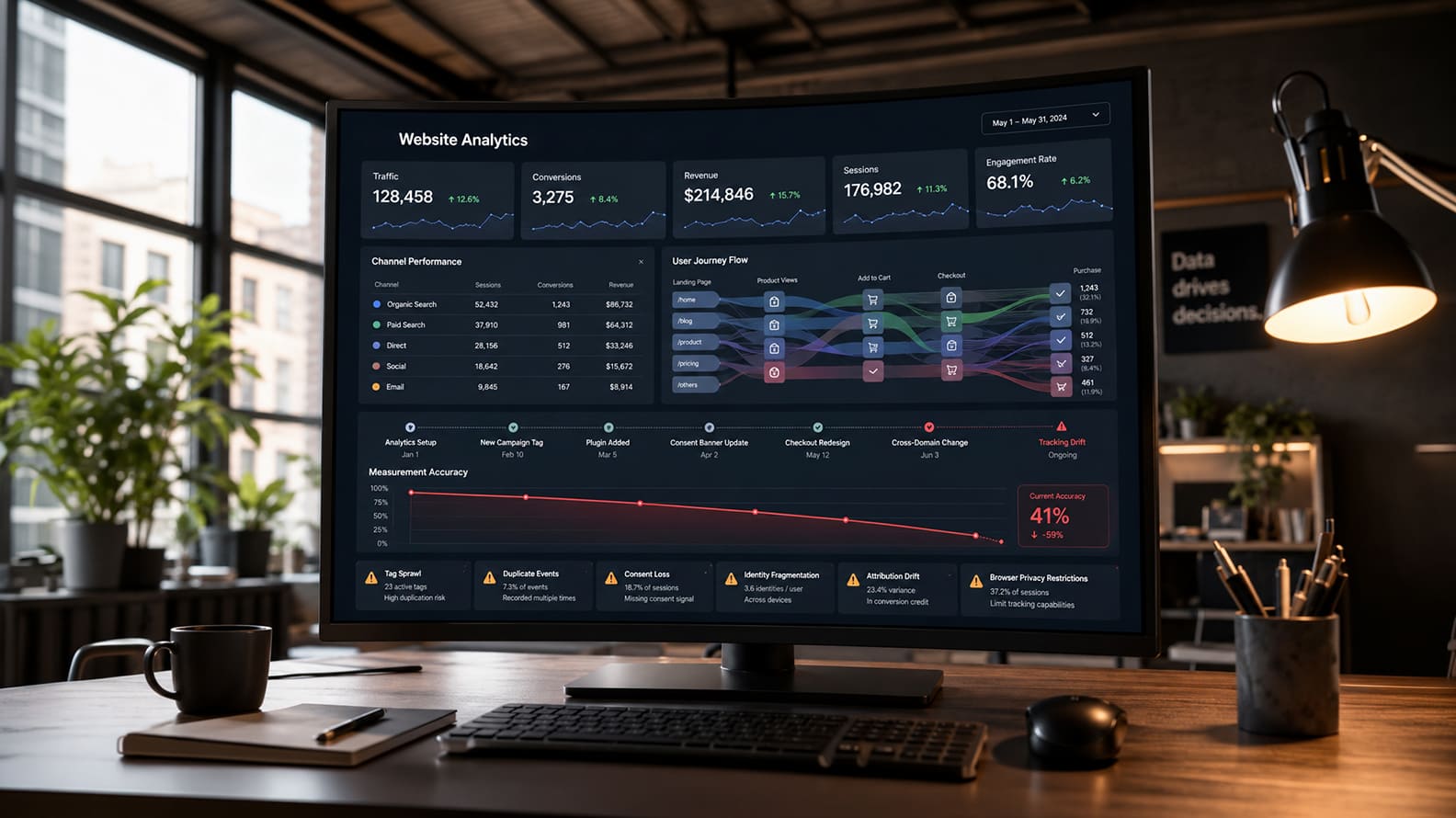
Why Website Analytics Slowly Becomes Unreliable
Jun 26, 2026 / 24 min read
April 3, 2026 / 22 min read / by Team VE

CMS outcomes are determined by how publishing is governed, how change is controlled, how performance is preserved over time, and how recoverable the system remains when teams or requirements shift.
CMS model choice: CMS model choice is a structural decision about where content lives, how publishing authority is enforced, how integrations are validated, how performance drift is managed, and how easily the system can be unwound or evolved without compounding risk.
CMS decisions fail when teams optimize for build convenience and underestimate the cost of governing change.
If you want to see how teams really choose a CMS, don’t start with vendor pages. Start with the threads where people show up after something broke. Search Reddit for “WordPress vs Webflow” and you’ll find the same storyline. People begin with design speed and editor comfort. Then the replies drift toward the stuff that actually hurts in production. Plugin creep, ownership gaps, preview mismatch, migration regret, and the slow realization that the CMS decision was never about features in the first place. The reason this repeats is simple. A CMS is a change-control system and not just a page builder.
Once a site is live, the real pressure is no longer about whether a page can be built. It is about whether the system remains coherent as dozens of incremental changes accumulate week after week. A marketing campaign adds new tracking scripts. A product team embeds a third-party tool. A compliance update introduces a new cookie layer that injects additional JavaScript. Someone installs a plugin to meet a short-term deadline, assuming it will be reviewed later.
Over time, these individual decisions interact in ways that were never mapped at the outset. Performance declines gradually as publishing feels less predictable. No single change appears responsible, yet the overall system becomes harder to reason about. What teams experience as platform weakness is often the compounded effect of unmanaged change. This is why feature comparisons mislead. Features are visible at evaluation time but failure modes show up later.
Look at page weight across the web. The HTTP Archive Web Almanac reports that the median desktop page weight is now about 2.65 MB (October 2024 data). That didn’t happen because WordPress is heavy or Webflow is heavy. It happened because teams keep adding things and rarely remove anything.
Google’s own guidance makes the same point from a measurement angle. PageSpeed Insights separates lab data from field data and explicitly notes that lab data is helpful for debugging, while field data reflects real user experience and often surfaces bottlenecks lab tests miss. In other words, your scorecard can look fine while users feel the slowdown. That gap is usually operational drift, not platform identity.
Now layer CMS choice onto that reality, and the comparison becomes clearer. WordPress dominates the web. W3Techs puts it at roughly 42.6% of all websites (and about 60% of sites with a known CMS). That scale guarantees it becomes the most scanned, the most targeted, and the most written-about. But the part most teams miss is where the actual vulnerability surface tends to live. Wordfence’s 2024 annual report states that plugin vulnerabilities account for 96% of all vulnerabilities disclosed in their dataset. That’s the whole story in one line. WordPress problems, in practice, are usually extension and governance problems. Sucuri’s hacked website reporting adds the other half: a meaningful share of infected sites are running outdated CMS components at the point of infection, which is what you expect when updates and ownership are not treated like a production system.
Webflow flips the trade. It deliberately narrows the surface area by constraining how the system works. That’s why many teams love it for marketing sites. But Webflow also has a real boundary that becomes important the moment your leadership says “we might want to move later.” Webflow’s own help docs say exported code does not include CMS, user accounts, ecommerce functionality, and other dynamic features. So your escape hatch is not “export and go.” It is “export the static shell, rebuild the dynamic system elsewhere.”
Headless CMS is the opposite move. It gives you architectural leverage by decoupling content from presentation, but it makes editorial safety an engineering problem. Contentful documents this explicitly through its Preview API and preview environment setup guidance, because the moment you decouple, preview stops being a native “what you see is what goes live” experience. It becomes a separate pipeline you have to implement and keep correct. Sanity makes a similar point in its preview and presentation tooling. If preview fidelity is weak, editors stop trusting the system, drafts pile up, and “headless” quietly becomes “developer-dependent for everything.”
So when teams argue WordPress vs Webflow vs headless, they think they’re comparing platforms. They’re actually choosing a failure mode:
Content systems rarely break at the editor interface. They break at the boundary between convenience and control. In early-stage teams, publishing feels simple because the number of contributors is small and institutional memory is intact. As organizations grow, publishing becomes distributed. Marketing, product, legal, SEO, and growth teams all interact with the system. The CMS becomes less a writing tool and more a coordination surface. At that point, the model governing roles, extensions, preview, and update authority starts shaping stability.
WordPress is designed for structural extensibility. Plugins can introduce new post types, alter database schemas, modify authentication flows, inject scripts into rendering pipelines, and create background jobs. The plugin repository currently lists over 60,000 plugins. Each installed extension increases executable surface area and update responsibility. Operational friction in WordPress environments usually concentrates in three areas:
WordPress works well when someone owns extension discipline and access control explicitly. Without that ownership, publishing becomes permissive and reactive rather than structured.
Webflow constrains extensibility by design. Layout, hosting, and publishing exist within a managed environment. Such architectural constraints reduce the number of moving parts. There is no plugin marketplace equivalent that modifies backend execution. Workflow is more standardized across contributors. Operational friction in Webflow environments tends to surface at different boundaries:
Webflow maintains structural cleanliness by narrowing extension points. The trade is that structural boundaries are platform-defined.
Headless systems separate content storage from presentation. Contentful, Sanity, and similar platforms treat content as structured data exposed through APIs. Frontends consume that data independently. The architectural separation introduces flexibility and reuse across web, mobile, and other surfaces. The coordination burden increases accordingly:
Headless models align well with organizations that already operate multi-surface digital systems and maintain strong engineering governance. They introduce friction when editorial velocity outpaces implementation capacity. The pattern across all three CMS models is about where control lives and how much coordination the organization can sustain without drift.
Performance deterioration accumulates quietly. Across the web, median page weight continues to rise. The 2024 HTTP Archive Web Almanac reports median desktop page weight at roughly 2.6 MB, with JavaScript and images representing the largest contributors to transfer size growth. That trend appears across CMS categories, not within a single platform silo.
This pattern matters because most CMS comparisons assume performance is a platform trait. In production, performance behaves more like an operational trait. Google’s documentation on PageSpeed Insights distinguishes between lab data and field data. Lab scores are useful for debugging under controlled conditions. Field data, derived from the Chrome User Experience Report, reflects real user experience across devices and networks. The gap between the two is where operational entropy becomes visible. In other words, a system can test well in isolation while degrading under real-world accumulation.
How this accumulation manifests differs by model:
WordPress performance typically degrades through extension layering and script injection. Common production patterns include:
WordPress itself does not impose runtime heaviness. Its performance profile is shaped by theme architecture, plugin choices, and hosting configuration. Managed WordPress hosts often mitigate this through enforced caching and staging workflows, but the underlying principle remains. The more extension points exercised without review, the greater the runtime surface. The WordPress ecosystem’s flexibility enables both lean builds and heavily layered builds. The difference is governance.
Webflow centralizes hosting and optimizes asset delivery within its infrastructure. Static site generation and CDN distribution are built into the platform. This reduces configuration variance. Performance drift in Webflow environments often appears in different forms:
Because Webflow abstracts server-side control, teams have limited access to deeper infrastructure tuning. Performance discipline becomes primarily a design and asset governance exercise rather than a server configuration exercise. The platform provides a cleaner baseline. It does not prevent accumulation.
Headless architectures introduce additional runtime considerations. Frontend frameworks such as Next.js or Nuxt often power headless deployments. Rendering strategies become central:
Each strategy carries performance implications. Misconfigured caching or inefficient API calls can introduce latency even when content is cleanly structured. Vercel’s documentation on rendering strategies outlines how incorrect cache invalidation or runtime fetching patterns affect Time to First Byte and overall performance.
API dependency also introduces failure surfaces. If the CMS API latency increases or cache coherence breaks between frontend and CDN, users experience performance degradation that is not immediately attributable to a single layer. Headless CMS does not inherently improve performance. It introduces architectural flexibility, which requires disciplined rendering and caching decisions.
Across all three models, performance decay tends to follow the same pattern:
The CMS influences baseline architecture. Operational behavior determines trajectory. The more frequently a system changes, the more performance must be treated as a governed resource rather than a test score.
Most CMS decisions underestimate how dependency shifts after launch. At evaluation time, teams focus on how quickly non-technical contributors can publish. After launch, the real variable becomes how much engineering involvement is required to modify structure, integrate new systems, harden security, or migrate away. Dependency changes shape depending on the model:
WordPress lowers developer dependency for routine publishing. Editors can create content, manage taxonomies, and adjust layouts within established themes. WordPress continues to dominate CMS market share, currently powering more than 40 percent of websites globally according to W3Techs.
The dependency increases in other areas:
The important structural advantage is ownership. WordPress is self-hosted. The database is portable while themes and plugins are files. Migration requires work, but it is technically feasible because the organization controls the stack. Hosting providers can be changed, Code can be refactored and plugins can be replaced incrementally. The escape path exists because architectural control resides with the operator. That does not mean escape is cheap. It means it is technically accessible.
Webflow shifts dependency differently. It reduces developer involvement for layout changes, responsive design adjustments, and content iteration. Designers often operate directly in the visual interface. Hosting, CDN, and deployment are managed within the platform.
Dependency emerges at structural boundaries. Webflow’s own documentation makes clear that code export does not include CMS collections, ecommerce functionality, user accounts, or certain dynamic behaviors.
That constraint has strategic implications. Exporting static markup is possible. Exporting the operational logic behind dynamic content is not. If an organization anticipates rebuilding on another stack while preserving dynamic content behavior, that migration requires reconstruction rather than transfer. Content can be extracted. Behavior must be re-engineered.
Webflow reduces infrastructure burden. It increases platform dependency when structural flexibility or portability becomes important. This trade is acceptable for many marketing sites. It becomes material when digital infrastructure is expected to evolve significantly over time.
Headless architectures increase developer dependency by design. The CMS stores structured content. The frontend application renders it. Deployment pipelines, caching layers, and preview environments must be engineered and maintained.
Contentful’s documentation explicitly outlines the need for preview APIs and environment configuration because draft rendering must be implemented separately from production rendering. This architecture enables flexibility:
The escape hatch in headless is architectural modularity. Frontends can be swapped. APIs can be reconnected. Content models can be migrated. The dependency cost is coordination. Structural changes require engineering cycles. Publishing workflows span systems. Debugging crosses boundaries between CMS, application code, and infrastructure. Headless systems are powerful when engineering governance is mature. They become brittle when editorial velocity exceeds development capacity.
Across all three models, dependency is not simply about who can click publish. It concerns:
Escape hatches matter because business requirements change. Acquisitions happen. Product strategy shifts. Marketing pivots. Regulatory requirements evolve. The CMS decision determines whether those shifts require incremental adaptation or architectural replacement. The more tightly the system is coupled to a platform boundary, the more strategic the exit cost becomes.
Friction rarely appears where teams expect it. During evaluation, discussions revolve around editor experience, design freedom, and integration checklists. After launch, friction tends to concentrate in the seams between publishing, extension, performance, and ownership. Those seams differ by model.
In WordPress environments, friction typically accumulates through extension growth and distributed authority. The plugin ecosystem is one of WordPress’s strengths. It is also its most persistent operational variable. WordPress.org lists more than 60,000 plugins in the official repository. Each installed plugin adds code that must be updated, audited, and kept compatible with the rest of the stack.
Security reporting reinforces the pattern. Wordfence’s 2024 annual report states that plugin vulnerabilities account for the overwhelming majority of disclosed WordPress vulnerabilities in their dataset. The friction is rarely immediate. It appears over time as:
Webflow environments concentrate friction at platform boundaries. The system reduces backend variance and hosting complexity. Publishing flows are standardized. That consistency is why many startups and agencies adopt it for marketing sites. The pressure surfaces when structural needs extend beyond the model.
Webflow supports code export, but its own documentation clarifies that exported code excludes CMS collections, ecommerce systems, and other dynamic features. That boundary becomes relevant when businesses anticipate future architectural changes. If dynamic content and logic cannot be exported intact, migration requires rebuilding behavior rather than transferring it. Friction in Webflow production environments usually appears in two ways:
Headless friction tends to concentrate in coordination rather than configuration. Separating content from presentation increases architectural flexibility. It also distributes responsibility across systems. Publishing is no longer a single-system event. It involves the CMS, the frontend application, caching layers, and often CI/CD pipelines.
Preview becomes the most sensitive layer. Contentful’s documentation outlines the need for a dedicated Preview API because draft rendering must be replicated outside production. When preview fidelity diverges from live rendering, editors lose confidence. Draft content requires developer intervention. Publishing slows. What appears to be a technical architecture choice becomes an editorial workflow problem.
Headless environments also introduce runtime coordination issues:
Across these models, friction reflects enforcement design. WordPress friction centers on extension and access governance. Webflow friction centers on platform boundaries and portability limits. Headless friction centers on preview, coordination, and runtime orchestration. None of these represent inherent flaws. They represent predictable pressure points.
The practical question is not which platform has fewer weaknesses. It is which friction profile aligns with the organization’s operating capacity:
| Dimension | WordPress | Webflow | Headless CMS | Operational Implication |
| Governance locus | Organization-led. Plugin and role discipline define stability. | Platform-mediated. Core behaviors constrained by environment. | Split across CMS and frontend architecture. | Stability depends on how clearly responsibility is assigned. |
| Extension surface | High. Plugin ecosystem introduces additional code paths. | Narrower. Limited backend extensibility. | API-driven. Extensions implemented in frontend or services layer. | Larger surface area increases review and update burden. |
| Publishing workflow | Native preview and draft flows within same system. | Integrated preview and publishing inside hosted platform. | Preview engineered via APIs and staging layers. | Editorial confidence depends on preview fidelity. |
| Performance control | Influenced by theme, plugins, hosting, caching. | Managed hosting with design-driven performance variability. | Determined by rendering strategy, caching coherence, API latency. | Runtime behavior reflects operational discipline more than platform identity. |
| Developer dependency | Low for content iteration. Higher for structural refactors and hardening. | Low for layout iteration. Higher at architectural boundaries. | High by default due to decoupled architecture. | Engineering capacity shapes agility ceiling. |
| Portability and exit | Strong. Database and codebase controlled by operator. | Partial. Static export possible. Dynamic systems not portable. | Architectural flexibility if designed cleanly. | Exit cost influences long-term strategic freedom. |
CMS decisions must be about operating models. WordPress offers extensibility and structural ownership. Its stability reflects the rigor of plugin governance, access control, and update discipline. Organizations that treat extension growth casually eventually experience friction. Organizations that assign ownership tend to remain stable.
On the other hand, Webflow standardizes publishing and infrastructure within a managed environment. It reduces backend variance and simplifies design iteration. Its boundaries become visible when structural control or portability becomes strategically important.
At the same time, Headless CMS architectures decouple content from presentation and enable multi-surface delivery. They demand stronger engineering governance, particularly around preview, rendering, and caching coherence.
The recurring mistake is evaluating CMS choice as a launch decision. In practice, it is a long-term control decision. The right model is the one your team can operate predictably under growth, integration pressure, and organizational change. Performance drift, publishing friction, and migration regret are rarely caused by missing features. They emerge when governance capacity does not match architectural freedom. Choosing a CMS is choosing where complexity will live and who will carry it.
The decision depends on operating capacity more than feature breadth. WordPress offers flexibility and structural ownership, but requires disciplined plugin and access governance. Webflow centralizes hosting and publishing inside a managed environment, reducing backend variance while defining platform boundaries. Headless architectures separate content from presentation and support multi-surface delivery, though they require stronger engineering coordination. For most marketing-led sites, WordPress or Webflow are sufficient when governance is clear. Headless becomes relevant when structured content reuse and architectural separation are long-term priorities rather than anticipated growth.
Migrations frequently change tooling without changing operational habits. If extension sprawl, unclear ownership, or performance drift existed before, those behaviors usually reappear under a new architecture. Moving from WordPress to Webflow or headless may simplify certain workflows, but it does not automatically improve governance. Disappointment typically stems from misdiagnosing a management issue as a platform issue. Without clear responsibility for updates, access control, preview discipline, and performance budgeting, friction accumulates regardless of system choice.
Headless architectures scale well for multi-channel publishing and frontend evolution because content and presentation are decoupled. That separation allows different applications to consume the same structured data. However, scalability in traffic volume is not exclusive to headless systems; most modern platforms scale through CDN distribution and infrastructure tuning. Headless increases coordination cost, particularly around preview environments, caching, and API performance. It becomes appropriate when architectural separation is required for product strategy, not simply when traffic is expected to grow.
Webflow supports exporting static code, but dynamic CMS collections, ecommerce functionality, and certain platform-managed features are not included in exports, as documented in its help center. This means content portability is possible, while dynamic behavior often requires reconstruction. For marketing-driven sites with limited backend complexity, this constraint may be manageable. For organizations expecting to migrate while preserving dynamic systems intact, portability boundaries should be evaluated carefully.
WordPress powers over 40 percent of the web according to W3Techs, including large enterprise properties. Its scaling challenges usually relate to governance rather than traffic capacity. Plugin lifecycle management, access discipline, update cadence, and hosting configuration determine operational stability. Security reporting indicates that plugin vulnerabilities account for the majority of disclosed WordPress issues, reinforcing that extension governance shapes risk more than core architecture.
Performance typically declines through incremental accumulation rather than structural failure. The HTTP Archive Web Almanac reports continued growth in median page weight across the web, driven largely by JavaScript and media expansion. Teams add scripts, embeds, tracking layers, and assets without removing older components. Field data often reveals issues not visible in lab testing. CMS choice influences baseline configuration, but sustained performance depends on disciplined asset management and runtime budgeting.
Preview directly affects editorial confidence. In monolithic systems such as WordPress and Webflow, draft and live environments typically share rendering logic. In headless architectures, preview must be engineered through APIs and staging layers, as documented by platforms like Contentful. If preview fidelity diverges from production behavior, editors hesitate to publish and publishing velocity slows. Organizations with limited engineering capacity should evaluate how preview workflows will be implemented and maintained before committing to a decoupled model.
Developer dependency shifts by architecture. WordPress reduces developer involvement for routine publishing but requires engineering oversight for security hardening, performance optimization, and complex integrations. Webflow lowers dependency for layout iteration while increasing reliance at structural boundaries or portability events. Headless architectures require engineering coordination by design because frontend rendering, caching, and deployment pipelines are separate from the CMS. The dependency question concerns structural changes rather than day-to-day content entry.
Portability involves more than exporting content. It includes transferring data models, preserving dynamic behavior, migrating integrations, and maintaining URL structures. WordPress offers strong portability because the database and code are operator-controlled. Webflow supports static export but excludes certain dynamic features. Headless systems can be portable at the architectural level if APIs and content models are designed cleanly. Teams should evaluate not only whether export is possible, but how much reconstruction would be required under time pressure.
Early indicators include unclear ownership of updates, widening administrative access, reliance on short-term workarounds, preview mismatches, and difficulty explaining performance changes. When operational discipline is uneven, highly extensible systems drift quickly. When structural flexibility is constrained but strategic evolution is expected, platform boundaries introduce rebuild pressure. The mismatch usually appears as friction before it appears as failure.
Jun 26, 2026 / 24 min read

Apr 16, 2026 / 17 min read

Apr 10, 2026 / 16 min read