
Building a Customized
Web-Based Platform for 
Automating Health Reports and Excel Sheet Simulation
Story of a
Technological
Evolution
During the global health crisis, Sercan Kilinc, the director of SKB Group, had a vision to create EXPOPRÜF- a solution aimed at simplifying public health data analysis in Germany.
EXPOPRÜF: RevolutionizingHealth Data Analysis
Sercan's dream was simple: to bid farewell to the laborious days of manual Excel sheet analysis. He envisioned a system that could deliver results at lightning speed, making the fight against diseases like COVID-19 more accessible and efficient.

Here's a detailed breakdown
of how it works:
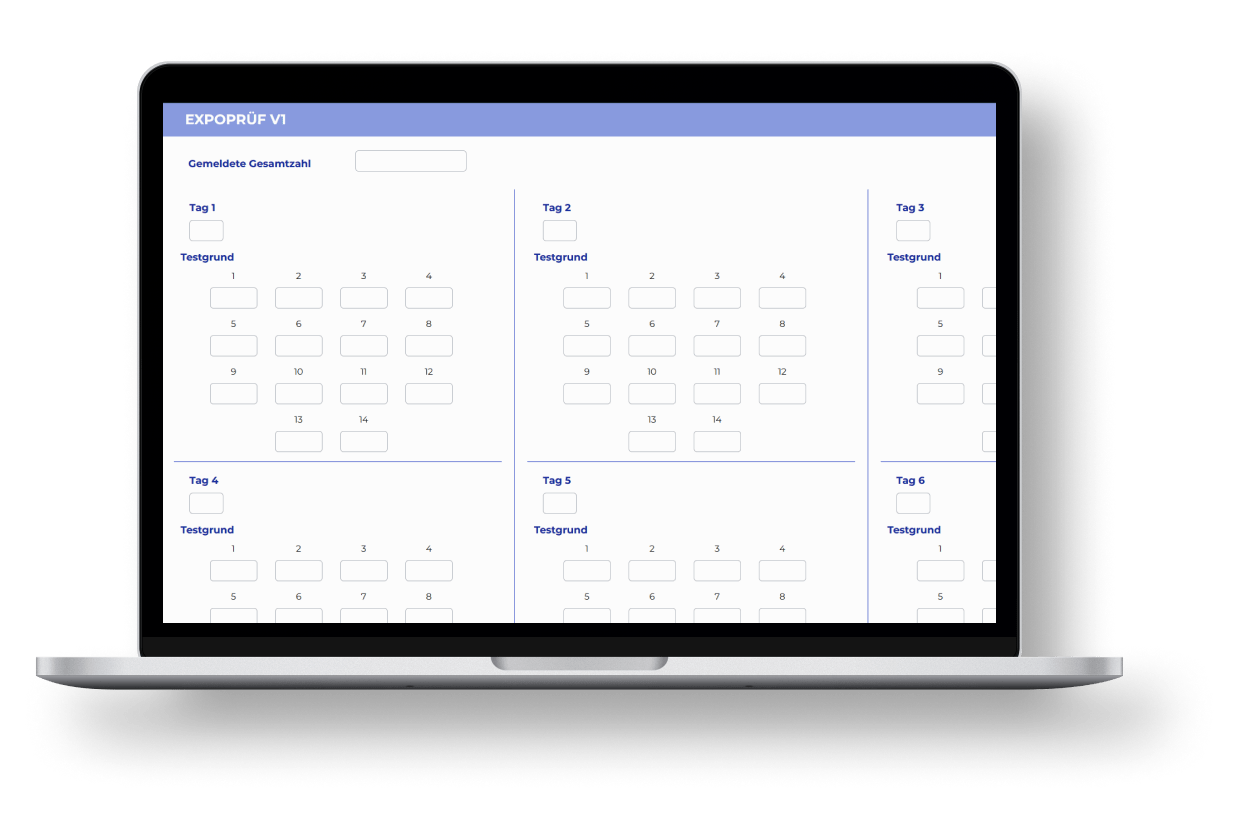
Initial Data Collection
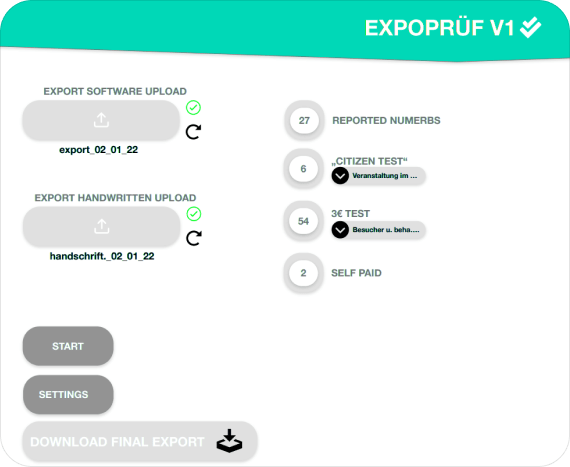
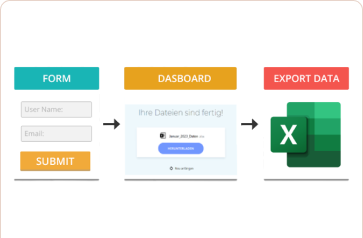
Users begin by uploading two distinct Excel files onto the web app:
File 1: An Excel sheet filled with handwritten data, meticulously prepared by the company.
File 2: A software-generated Excel sheet, automatically generated by the company's website, based on the specific month and year selected by the user.
Data Entry
Once the files are uploaded, the user proceeds to fill out several requisite entries capturing crucial data that aids in generating the desired reports. These entries include:
Monthly Overview: The total number of cases that have occurred in each month.
Monthly Breakdown: A detailed view indicating the number of cases specific to each day of the month.
Test Reason Breakdown: Data related to the number of cases categorized based on the reason for testing, specified for each day.
Operational Hours: The exact arrival and departure times of the company and the clinic where the final Excel report is issued.
Month Specification: The user must indicate the month for which they are generating the report, e.g., January, February, etc.
Report Generation
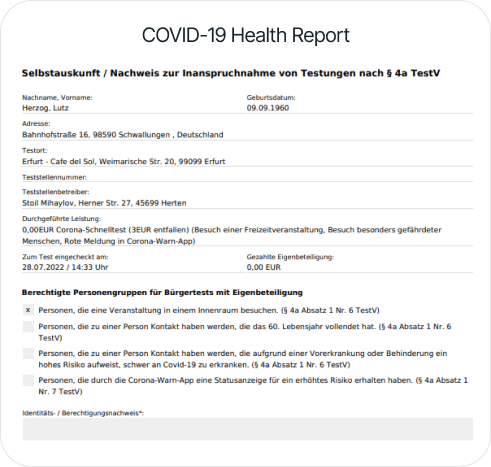
After diligently filling out all the necessary entries, the user simply clicks on the "Download" button. This action triggers the production of two critical documents:
1. A comprehensive report detailing the above-mentioned data.
2. Medical certificates pertinent to the patients.
Data Entry
Once the files are uploaded, the user proceeds to fill out several requisite entries capturing crucial data that aids in generating the desired reports. These entries include:
Monthly Overview: The total number of cases that have occurred in each month.
Monthly Breakdown: A detailed view indicating the number of cases specific to each day of the month.
Test Reason Breakdown: Data related to the number of cases categorized based on the reason for testing, specified for each day.
Operational Hours: The exact arrival and departure times of the company and the clinic where the final Excel report is issued.
Month Specification: The user must indicate the month for which they are generating the report, e.g., January, February, etc.

The Purpose
of the Process
The transition to this automated process
serves several purposes:
 Efficiency Enhancement
- Reducing Manual Labor: The automated system significantly reduces manual labor, ensuring tasks are completed faster and with fewer errors.
- Automatic Report Generation: The new process facilitates the swift creation of Excel sheets, providing an organized view of all patient data based on specific date and time criteria

Automated Medical Certificates: Medical certificates are generated with automated signatures, ensuring uniformity and authenticity.

Target-Driven Adjustments: The automated system allows the company to adjust the data quantity based on their target objectives, ensuring effective scaling without major overhauls.
The Purpose
of the Process
And guess who's the genius
behind making this vision a reality?
The Star of
the Show
Vishal, a skilled Full Stack Developer at VE, who took on a multifaceted role that spanned various technical domains. His expertise in Python, JavaScript, React JS, Django, Django Rest Framework, Pandas, Beautiful Soup, HTML, CSS, Bootstrap, and Git made him a formidable presence in web development.


From Insight to
Innovation:
Vishal started by really getting into Sercan Kilinc's shoes, digging deep into the existing manual process, and finding its weak spots, such as:

Inefficiency of Manual Analysis
The existing manual process for analyzing health data using Excel sheets was time-consuming, error-prone, and resource-intensive. This inefficiency led to delayed responses in critical situations, such as a pandemic.
Accuracy and Speed
Manual analysis relied on human input, which introduced errors.
Real-time Data Handling
During a health crisis like the COVID-19 pandemic, the need for real-time data analysis and reporting was crucial.
Ease of Use
The introduction of an automated system would simplify the process, making it accessible to a broader audience. Users may not need advanced technical skills to operate the platform, reducing barriers to entry.
Consistency
Automation ensured consistent data analysis and reporting standards. This consistency was vital for comparing data over time, identifying trends, and making informed decisions.
Reduced Workload
By automating the data analysis and reporting process, the workload on healthcare professionals and data analysts would be reduced. This frees up valuable human resources to focus on more complex tasks and patient care.
Customization
Generating customized COVID-19 certificates based on individual health statuses was valuable as it would cater to the diverse needs of users, such as travelers, employers, and healthcare providers.
Scalability
As the pandemic evolved and data needs increased, having a manual system was struggling to scale efficiently.
Cost-effectiveness
Over the long term, automating data analysis and reporting was more cost-effective than relying on manual processes, as it would reduce labor costs and potential errors.
So, we decided to build a robust web-based
platform to fix these issues

Inception and Project Scope
The goal was to make Sercan Kilinc's life easier by revolutionizing the way Excel sheets and certificates were generated. At its core, it aimed to tackle the limitations of the old manual process by creating a rock-solid platform that could not only analyze Excel sheets efficiently but also automate the generation of reports and personalized certificates.

Selecting the Right Technologies
Picking the right tools for the job was crucial. We went with Flask for the backend – solid, reliable, and flexible. For the frontend, we assembled the dream team of HTML, CSS, JavaScript, and Bootstrap.

Proactive Problem Identification
We anticipated challenges, like creating diverse Excel filters and making sense of data with pandas and Flask. It wasn't going to be easy, but we were up for it.

User Requirements
We didn't just dive into this project blindly. We took the time to understand Sercan Kilinc's unique workflow and the operational challenges. We worked with his team to gain a comprehensive understanding of their existing processes.
Research and Development
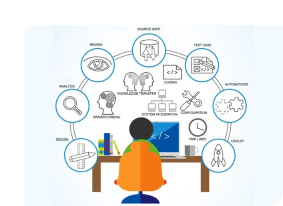
To address these challenges effectively, the project plan included a dedicated phase for extensive research and development. This allowed the team to explore solutions, test different approaches, and refine the platform's functionalities.
Tech Foundations
Unified Platform
Now, let's talk tech. We picked the right tools for the job. Flask for the backend, HTML, CSS, JavaScript, Bootstrap for the front end, and Python as the glue holding it all together.

Flask for the Backend
Flask was the foundation for our application. We divided it into two Flask-based microservices. One handled Excel data processing and validation, while the other focused on generating certificates. Both worked smoothly in a microservices setup, ensuring our platform runs efficiently and reliably.
But why Flask over any other framework?
Flask's Simplicity
Flask is a lightweight and minimalistic framework, that perfectly aligned with EXPOPRÜF goal to generate PDF certificates without the complexities of a full-scale web framework.
Keeping It Simple
Compared to other frameworks, Flask keeps things simple. That means our code could focus solely on making PDFs, without getting tangled up in unnecessary stuff.
Picking and Choosing
Flask gave us the freedom to choose what we needed. We could pick libraries like ReportLab or WeasyPrint for making PDFs, tailoring our PDF system just the way we wanted it.
Thinking About Project Size
Framework like Django can be a time-saver for smaller projects. It has lots of things already built-in. But EXPOPRÜF demanded breaking things into smaller parts, and Flask helped us with that too.

HTML, CSS, JavaScript, Bootstrap for the Frontend
HTML (HyperText Markup Language)
HTML was the backbone of web development. It was used for structuring the content of web pages. HTML was used to define the layout and structure of the user interface.
CSS (Cascading Style Sheets)
CSS was essential for styling. It defined how the content was being presented, including aspects like fonts, colors, spacing, and layout. For a user-friendly and visually appealing interface, CSS played a crucial role.
JavaScript
JavaScript, the versatile programming language, added interactivity and dynamic behavior. It was used for tasks like form validation, real-time updates, and user interactions
Bootstrap
Bootstrap, the popular CSS framework, was used to provide pre-designed templates and components for creating responsive web applications. It simplified the frontend development process by offering a consistent and mobile-friendly design. This was particularly important for EXPOPRÜF, as it likely aimed to provide a user friendly experience across various devices.

Python as the Glue
Integration and Orchestration
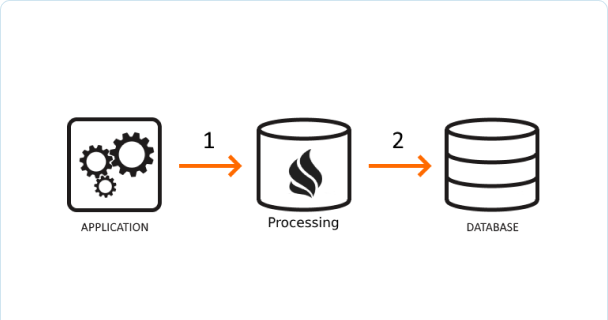
Python, as the glue holding everything together, played a critical role in integrating the backend (Flask) with the frontend (HTML, CSS, JavaScript) and coordinating the flow of data and actions between different parts of the application.
Data Processing
Python's rich ecosystem of libraries and frameworks, such as NumPy, Pandas, and Matplotlib, made it well-suited for data processing and analysis. This was essential for generating detailed Excel reports and custom COVID-19 certificates based on health status.
Third-party APIs
Python's versatility allowed for easy integration with third-party APIs or services, which was valuable for accessing external data sources or enhancing the platform's functionality.
Automation
Python's scripting capabilities were harnessed for automating routine tasks, such as data retrieval, processing, and report generation, which was a core function of EXPOPRÜF.
Crafting
EXPOPRÜF
Our commitment to scalability, performance, and maintainability led us to adopt several key methodologies during EXPOPRÜF's development:
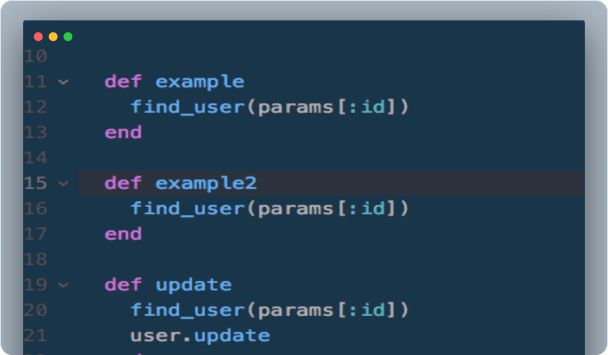
DRY (Don't Repeat Yourself) Principle
The DRY principle was our guiding light. It emphasized reducing repetition in code, avoiding redundant segments, and encapsulating common functionalities. This practice ensured that EXPOPRÜF's codebase remained clean, reusable, and easier to maintain over time.
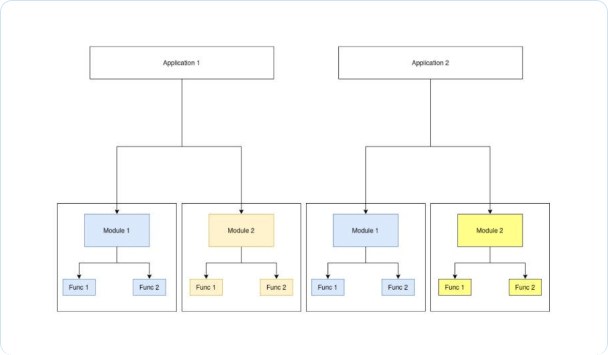
Modular Design
To enhance scalability and maintainability, we adopted a modular design approach. This involved breaking down the project into smaller, independent modules, each responsible for specific functionalities. This allowed for the development, testing, and debugging of individual components separately, paving the way for future scalability and adaptability.
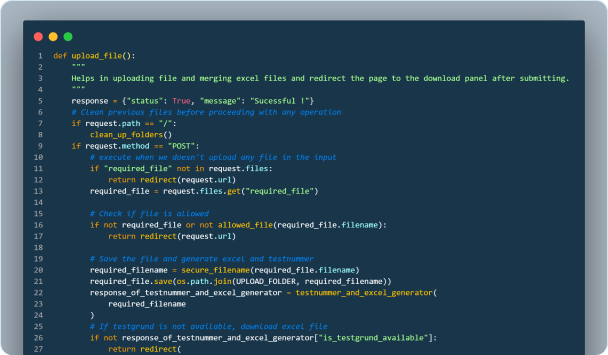
Optimized Algorithms and Data Structures
Efficient algorithms and data structures were at the core of EXPOPRÜF's design. These were particularly crucial for data handling and processing tasks, enabling the platform to handle large volumes of data rapidly and efficiently.
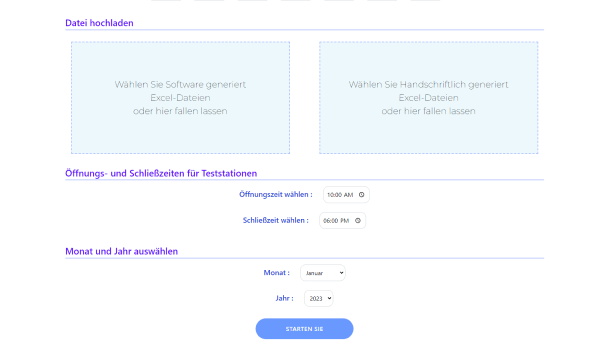
Responsive Web Design
Given EXPOPRÜF's web-based nature, ensuring accessibility across various devices was paramount. A responsive web design approach was employed, thanks to Bootstrap, allowing the platform to adapt seamlessly to different screen sizes and devices.
Regular Code Reviews and Refactoring
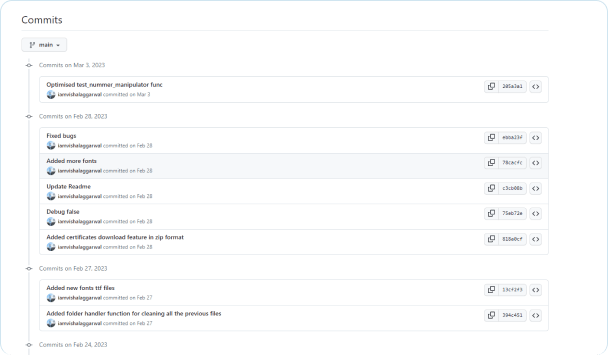
Maintainability was further ensured through regular code reviews and refactoring. Code reviews scrutinized the codebase for inconsistencies and potential issues, while refactoring improved the code structure and organization without changing its external behavior. These practices kept the codebase clean, efficient, and up-to-date, reducing technical debt and making future modifications smoother.
Data Management &
Security
In-Memory Data Processing
User data was processed in-memory, ensuring no storage on the server beyond the request's duration.
Temporary File Storage
Data transfers within the platform were safeguarded using encryption algorithms to protect data during transit.
Secured Data Transfers
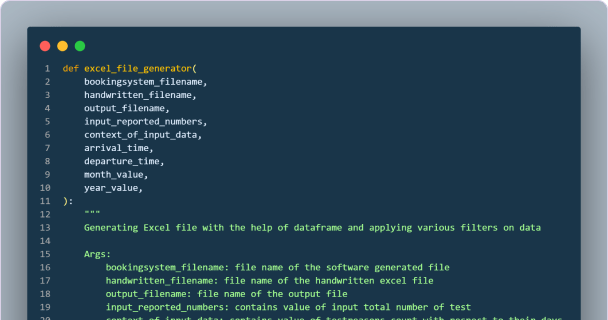
Necessary validation checks were implemented to ensure uploaded files adhered to predefined formats, thereby reducing security vulnerabilities and data corruption risks.
Validation Checks
Given that the application wasn't hosted on a cloud-based service and relied on in-memory processing without long-term storage, it operated in a controlled environment exempt from specific data privacy or security regulations.
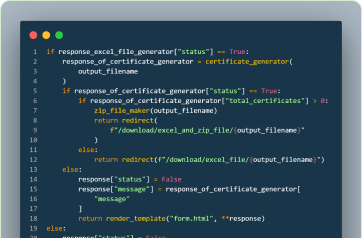
Robust Error Handling
Error handling mechanisms were in place to detect and address anomalies or inconsistencies in input data.
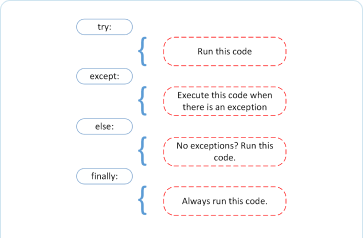
Temporary Storage for Enhanced Data Security
Uploaded files were stored temporarily and deleted post-processing, minimizing data exposure risks.
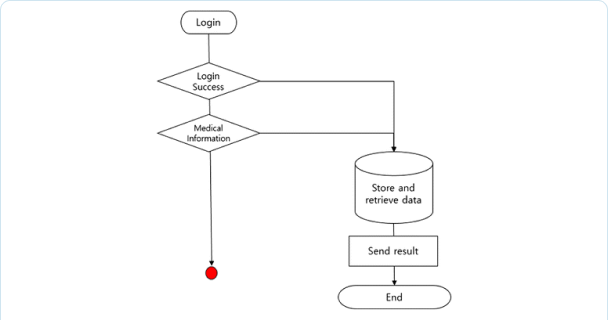
Version Control Systems
Version control systems were utilized to track modifications and facilitate easy rollbacks in the event of failures or critical bugs.
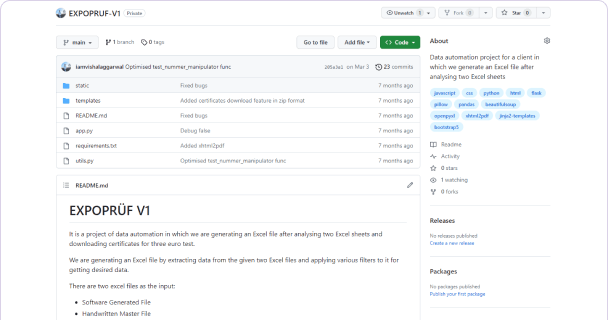
All About
Optimizing the
Performance
Enhancing
Performance
Metrics
Efficient Data Structures and Algorithms
The project leveraged efficient data structures and optimal algorithms for fast data processing.
Code Optimization
Regular code reviews and refactoring maintained a clean, efficient codebase.
Effective Use of Libraries
Appropriate libraries were used to streamline operations and improve efficiency.
Caching Techniques
Caching techniques were employed to store and reuse results, reducing repetitive computations.
Tech Stack



10 out of 10.
Achieved.
EXPOPRÜF redefined data analysis and certificate generation, replacing laborious manual processes with an agile, automated platform. It not only expedited tasks but also ensured data integrity, security, and compliance.
With Vishal Aggarwal's expertise as a guiding force, EXPOPRÜF emerged as a game-changer in public health data management, exemplifying how web development can have a major impact on critical industries. This transformative journey showcases the power of technology in addressing real-world challenges and paves the way for future innovations in data-driven healthcare solutions.